Don't miss your chance to take the Fabric Data Engineer (DP-700) exam on us!
Learn moreWe've captured the moments from FabCon & SQLCon that everyone is talking about, and we are bringing them to the community, live and on-demand. Starts on April 14th. Register now
I am trying to merge a two data sets have 75000 (approx) & 45000 rows, however, i get over a million rows in merged query , How it is happening, i am preplexed. i used full row merge
Solved! Go to Solution.
Please refer this article: https://docs.microsoft.com/en-us/power-bi/connect-data/desktop-shape-and-combine-data
________________________
If my answer was helpful, please consider Accept it as the solution to help the other members find it
Click on the Thumbs-Up icon if you like this reply 🙂
⭕ Subscribe and learn Power BI from these videos
⚪ Website ⚪ LinkedIn ⚪ PBI User Group
Hi @Anonymous
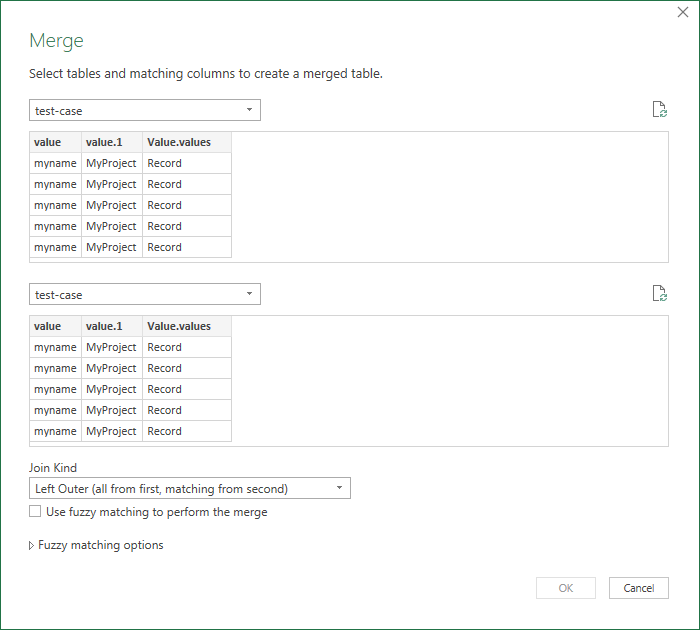
You may not choose the appropriate column and merge method when performing Merge Queries, resulting in a Cartesian product, causing each combination to be executed again
When doing Merge Queries, you select the appropriate fields of the two tables and the appropriate connection method
If my answer is not what you need, can you share sample data and sample output in table format? Or a sample pbix after removing sensitive data.
Best Regards,
Liu Yang
If this post helps, then please consider Accept it as the solution to help the other members find it more quickly.
Hi @Anonymous
Can you share a screenshot of the Merge dialog box (like this) showing how you are doing the merge
Phil
If I answered your question please mark my post as the solution.
If my answer helped solve your problem, give it a kudos by clicking on the Thumbs Up.
Proud to be a Super User!
Can you explain to me little bit more detail, I am novice in Power BI
Please refer this article: https://docs.microsoft.com/en-us/power-bi/connect-data/desktop-shape-and-combine-data
________________________
If my answer was helpful, please consider Accept it as the solution to help the other members find it
Click on the Thumbs-Up icon if you like this reply 🙂
⭕ Subscribe and learn Power BI from these videos
⚪ Website ⚪ LinkedIn ⚪ PBI User Group
@Anonymous
When you merge use the right key combination and expand only the required columns. Without those right column keys, you may get a cross join effect.
Also, filter out the unnecessary rows before the merge.
________________________
If my answer was helpful, please consider Accept it as the solution to help the other members find it
Click on the Thumbs-Up icon if you like this reply 🙂
⭕ Subscribe and learn Power BI from these videos
⚪ Website ⚪ LinkedIn ⚪ PBI User Group
If you have recently started exploring Fabric, we'd love to hear how it's going. Your feedback can help with product improvements.
A new Power BI DataViz World Championship is coming this June! Don't miss out on submitting your entry.
Share feedback directly with Fabric product managers, participate in targeted research studies and influence the Fabric roadmap.
| User | Count |
|---|---|
| 56 | |
| 40 | |
| 35 | |
| 19 | |
| 18 |
| User | Count |
|---|---|
| 70 | |
| 69 | |
| 38 | |
| 35 | |
| 23 |