
Join us at FabCon Atlanta from March 16 - 20, 2026, for the ultimate Fabric, Power BI, AI and SQL community-led event. Save $200 with code FABCOMM.
Register now!The Power BI Data Visualization World Championships is back! Get ahead of the game and start preparing now! Learn more
I have the following table in excel and i want to do the same in PowerBI:
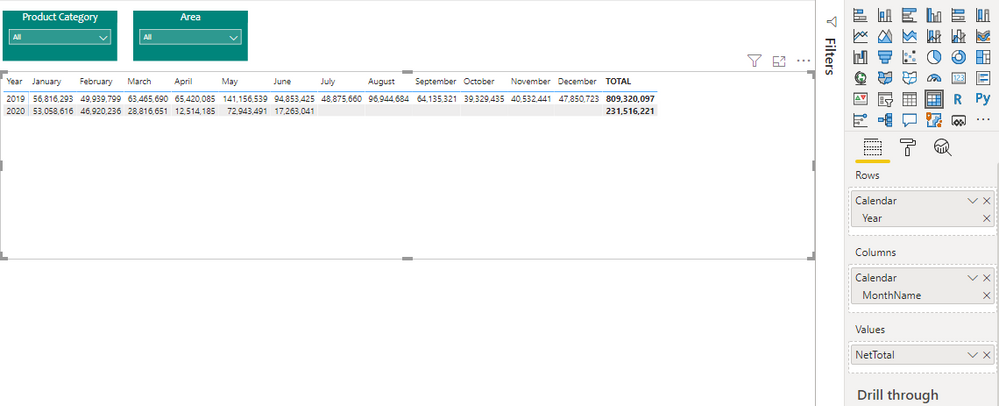
i tried to do the same in power bi with matrix table and here's what i got:
if i put the Target under Values the result is not like the table in excel, it will give a strange layout here's a shot:
I want to compair the target and actual sales for each month, like the one i made in excel. but the matrix is putting the actual and target next to each other.
is there a way or a diffrent visual that will help me.
Thanking you all.
Solved! Go to Solution.
Hi @Anonymous
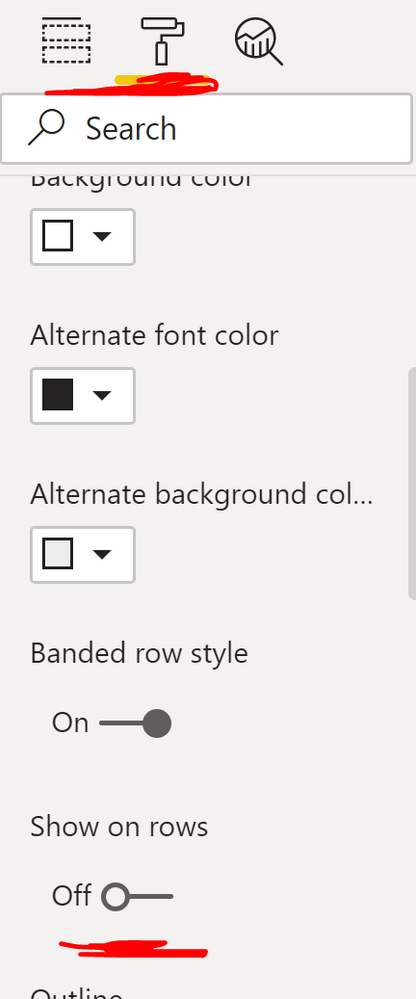
Sure, Go to Matrix Visuals Format options > Expand Values section > Toggle "Show on rows" On.
Hi @Anonymous
Sure, Go to Matrix Visuals Format options > Expand Values section > Toggle "Show on rows" On.
The Power BI Data Visualization World Championships is back! Get ahead of the game and start preparing now!
| User | Count |
|---|---|
| 38 | |
| 38 | |
| 37 | |
| 28 | |
| 28 |
| User | Count |
|---|---|
| 124 | |
| 89 | |
| 73 | |
| 66 | |
| 65 |