cancel
Showing results for 
Search instead for 
Did you mean: 

Learn from the best! Meet the four finalists headed to the FINALS of the Power BI Dataviz World Championships! Register now

Reply
terra_estella
Frequent Visitor

Map filtering a table

Hello everyone! I have a problem that looks so simple but I cannot seem to solve it for the world. So here it goes:

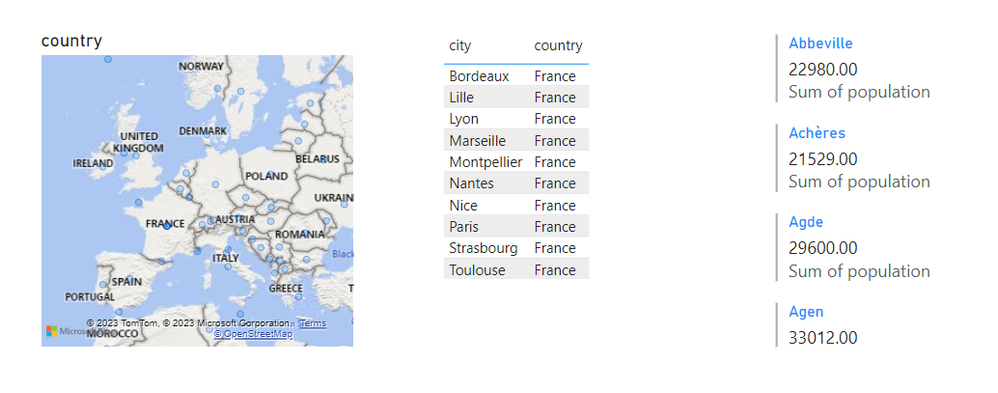
I have three visuals, Map, Table and Multi-row card. My intention, innocently enough, is to filter the table with my map and than by clicking the field in the table get the info on the card.

Here's the picture:

Screenshot (165).png

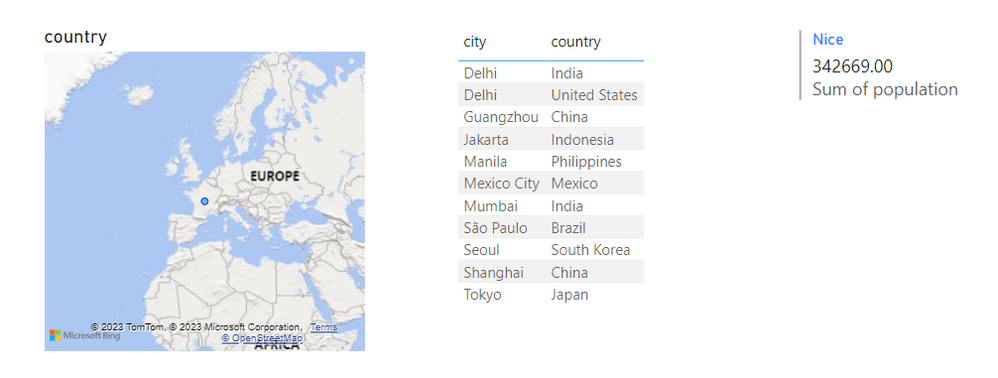
So here, I am clicking the France to get the French cities. Then I would like to click on, say Nice and get the info on population. The problem is when I do click on Nice, or any other field in the table, the table resets and show all the cities again, not just the French ones. Info on the Nice population is displayed in the multi-row card as it should. Here's the screen:

Screenshot (167).png


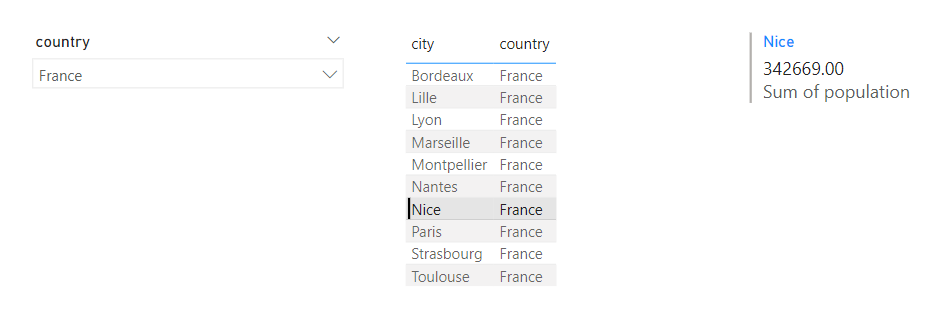
I tried using plain slicer and everthing worked fine:

Screenshot (166).png

So, what am I missing here? ...except knowledge😐

2 REPLIES 2
terra_estella
Frequent Visitor

Thanx for the answer. Yeah, I tried to "fix" it with interactions but nothing worked. 

lbendlin
Super User
Super User

This is working as designed. You could mess with visual interactions but you may not want to do that. If you want to have a hierarchy  then use a hierarchy.

Helpful resources

Announcements
Join our Fabric User Panel

Join our Fabric User Panel

Share feedback directly with Fabric product managers, participate in targeted research studies and influence the Fabric roadmap.

February Power BI Update Carousel

Power BI Monthly Update - February 2026

Check out the February 2026 Power BI update to learn about new features.

FabCon Atlanta 2026 carousel

FabCon Atlanta 2026

Join us at FabCon Atlanta, March 16-20, for the ultimate Fabric, Power BI, AI and SQL community-led event. Save $200 with code FABCOMM.

Users online (3,331)