cancel
Showing results for 
Search instead for 
Did you mean: 

The Power BI Data Visualization World Championships is back! Get ahead of the game and start preparing now! Learn more

Reply
YunJ
Post Prodigy
Post Prodigy

Map & Display problem

Hi,


I'm a new beginner on power bi, and have two questions on power bi desktop.


First, I use the default filled map as in the red mark. But I cannot find size/color saturation on the grey pane. So the map looks only one color. 

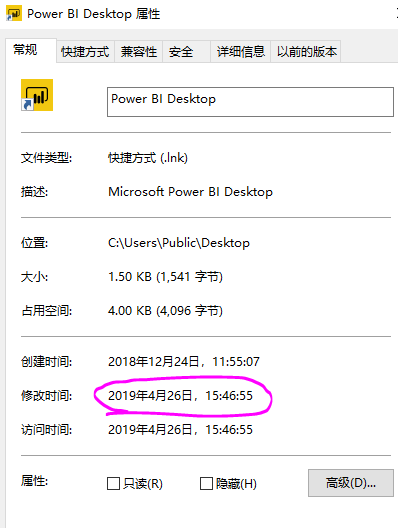
Second, when I studied in youtube, I found the youtuber's display of power bi is pretty good like you see in the following. But in the picture above which is my power bi desktop, in the pink mark I made, you can see it's totally different from the youtuber's.


Thanks for your help!


Yun

1 ACCEPTED SOLUTION

@YunJ ,


Yes, in the latest version, color saturation has been upgraded to conditional formatting. Please refer to announcement below:


We’ve upgraded all the generally available visuals that previously used color saturation to have the same conditional formatting experience as table and matrix currently has. This means you’ll have access to all three types of formatting currently available: Color by color scales, Color by rules, and Color by field. As mentioned, this change impacts all visuals which previously had color saturation which includes:

  • All variants of column and bar charts
  • Funnel chart
  • Bubble & filled maps
  • Treemap
  • Scatter chart


Community Support Team _ Jimmy Tao

If this post helps, then please consider Accept it as the solution to help the other members find it more quickly.

View solution in original post

3 REPLIES 3
v-yuta-msft
Community Support
Community Support

@YunJ ,


In the new version of power bi desktop, color saturation has been upgraded to conditional formatting, please refer to this announcement:

https://powerbi.microsoft.com/en-us/blog/power-bi-desktop-november-2018-feature-summary/#conditional...


Community Support Team _ Jimmy Tao

If this post helps, then please consider Accept it as the solution to help the other members find it more quickly.

Hi, but I think my power bi is already the latest version. 

捕获.PNG

@YunJ ,


Yes, in the latest version, color saturation has been upgraded to conditional formatting. Please refer to announcement below:


We’ve upgraded all the generally available visuals that previously used color saturation to have the same conditional formatting experience as table and matrix currently has. This means you’ll have access to all three types of formatting currently available: Color by color scales, Color by rules, and Color by field. As mentioned, this change impacts all visuals which previously had color saturation which includes:

  • All variants of column and bar charts
  • Funnel chart
  • Bubble & filled maps
  • Treemap
  • Scatter chart


Community Support Team _ Jimmy Tao

If this post helps, then please consider Accept it as the solution to help the other members find it more quickly.

Helpful resources

Announcements
Power BI DataViz World Championships

Power BI Dataviz World Championships

The Power BI Data Visualization World Championships is back! Get ahead of the game and start preparing now!

December 2025 Power BI Update Carousel

Power BI Monthly Update - December 2025

Check out the December 2025 Power BI Holiday Recap!

FabCon Atlanta 2026 carousel

FabCon Atlanta 2026

Join us at FabCon Atlanta, March 16-20, for the ultimate Fabric, Power BI, AI and SQL community-led event. Save $200 with code FABCOMM.