This time we’re going bigger than ever. Fabric, Power BI, SQL, AI and more. We're covering it all. You won't want to miss it.
Learn moreLevel up your Power BI skills this month - build one visual each week and tell better stories with data! Get started
Hi there
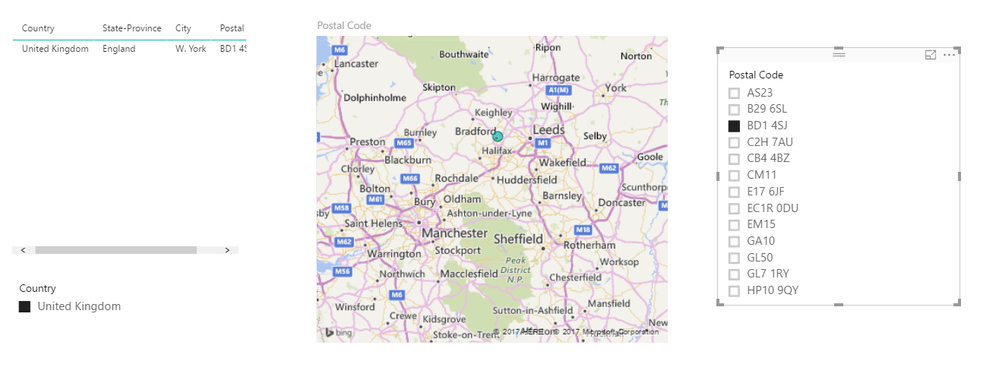
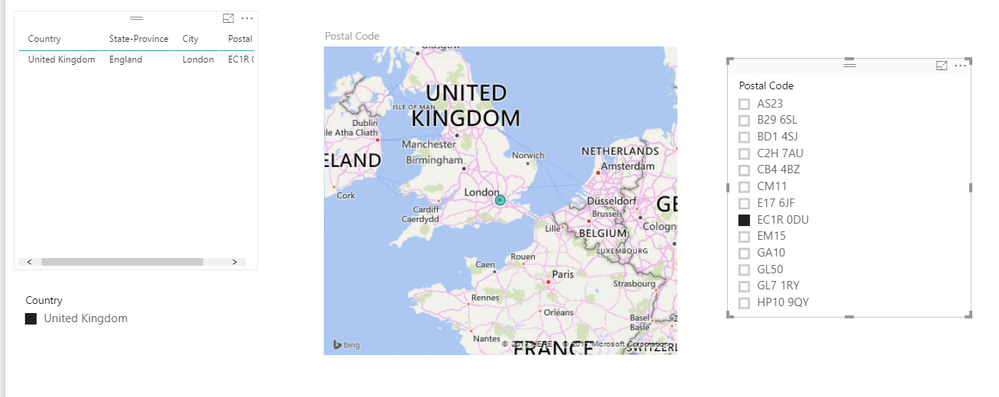
When I slice a postcode that return just 1 single column the map seems to zoom out to UK map rather than zoom in to its exact location. I appreciate that using postcode it wont give me the exact location unlike using LAT / Long however i need to be able for it to display better than just UK map with a dot.
Can you please advice?
Thank you
Solved! Go to Solution.
@Anonymous
I’ve got response from the Product Team.
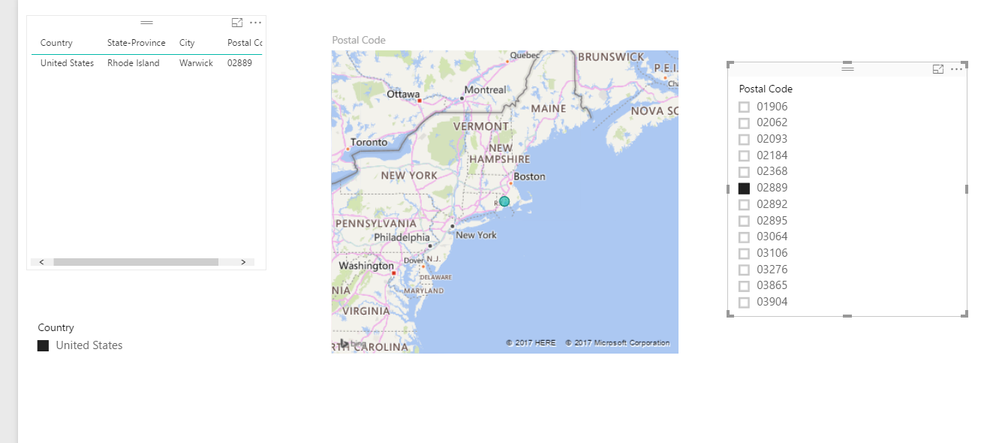
This is the default zoom level for a single point. US ZipCode "Expected" image and the UK ZipCode image are at the same zoom level, due to having only a single point. If you have more than one point, then it will zoom to best include them all. User can disable auto-zoom if they want in the property pane under "Map controls".
Best Regards,
Herbert
@Anonymous
I’ve got response from the Product Team.
This is the default zoom level for a single point. US ZipCode "Expected" image and the UK ZipCode image are at the same zoom level, due to having only a single point. If you have more than one point, then it will zoom to best include them all. User can disable auto-zoom if they want in the property pane under "Map controls".
Best Regards,
Herbert
@Anonymous
I have reproduced your issue.
And same issue doesn't occur on US region.
We have reported this issue internally.
Regards,
Check out the April 2026 Power BI update to learn about new features.
Sign up to receive a private message when registration opens and key events begin.
If you have recently started exploring Fabric, we'd love to hear how it's going. Your feedback can help with product improvements.
| User | Count |
|---|---|
| 35 | |
| 32 | |
| 25 | |
| 22 | |
| 18 |
| User | Count |
|---|---|
| 65 | |
| 35 | |
| 32 | |
| 25 | |
| 23 |