Join us at FabCon Atlanta from March 16 - 20, 2026, for the ultimate Fabric, Power BI, AI and SQL community-led event. Save $200 with code FABCOMM.
Register now!The Power BI Data Visualization World Championships is back! It's time to submit your entry. Live now!
Community,
I have a spreadsheet with 'Ship- to City', 'Ship-to State', 'Ship-to Zip Code', & 'County Name'.
I modeled the data with the correct Data Categories for the respective columns listed above i.e. County Name has a Data Category of County, Ship-To City has a Data Category of City, Ship-To Zip has a Data Category of Zip Code, Ship-to State has a Data Category of State.
I want my map visualization to saturation by County. Obviously when I use the County column as my Location, I get erroneoous resuilts. My results should stay within the correct State & Zip Code. How do I group this information together so the saturation is correct? I'm assuming I need to create a calcuated column that has a combination of City, State, Zip, & County?
Can someone show me how to do that?
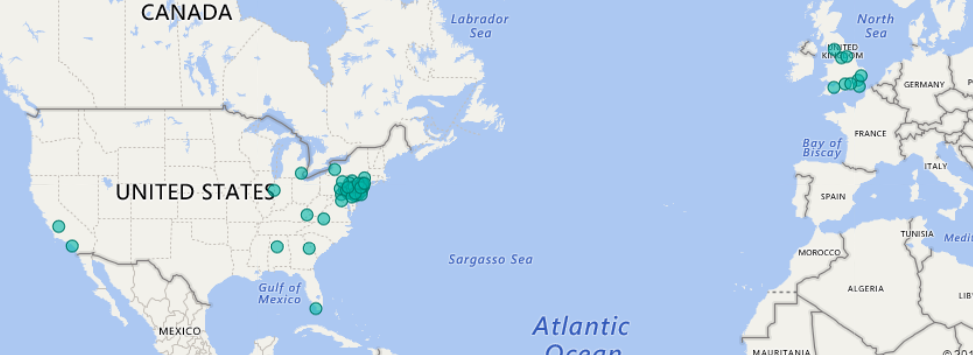
Picture showing current saturation using JUST 'County' with saturation in other Countries:
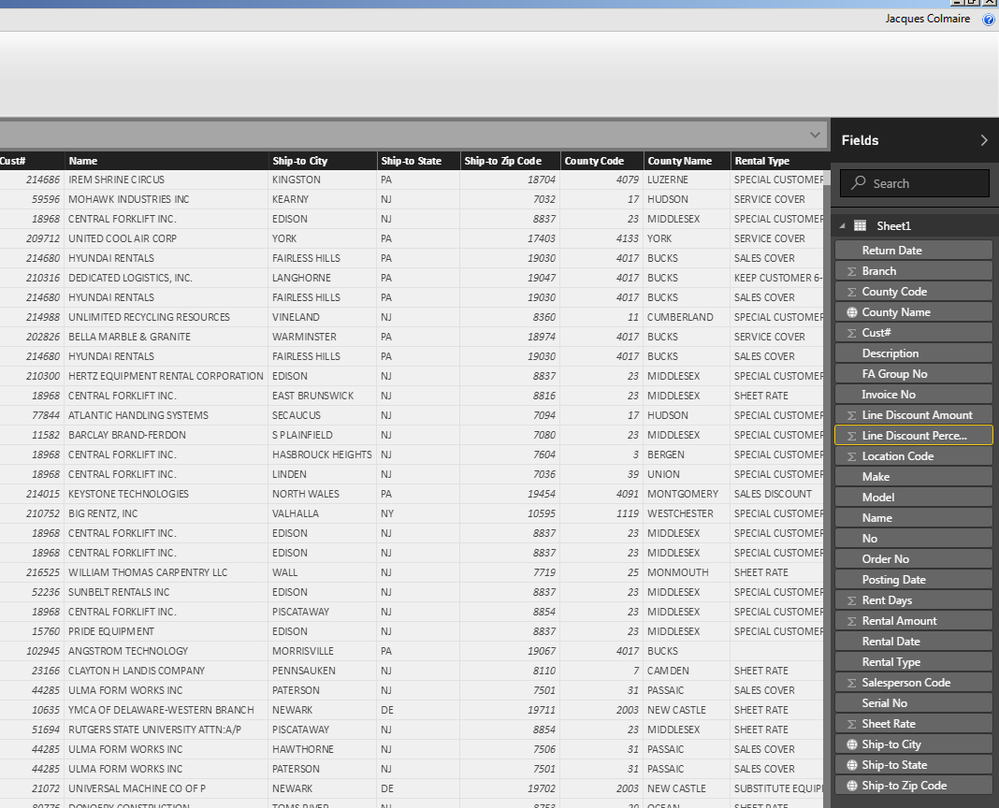
Above is the snapshot of the data columns.
Also, why does the Zip Code column lose the preceding 0? If other words, if a Zip Code starts with a 0 is does not show the 0. Can I get that to populate? Thank you.
Try concatenating your geo fields, here are few links for your reference:
https://community.powerbi.com/t5/Desktop/Incorrect-map-location/td-p/19374
Subscribe to the @PowerBIHowTo YT channel for an upcoming video on List and Record functions in Power Query!!
Learn Power BI and Fabric - subscribe to our YT channel - Click here: @PowerBIHowTo
If my solution proved useful, I'd be delighted to receive Kudos. When you put effort into asking a question, it's equally thoughtful to acknowledge and give Kudos to the individual who helped you solve the problem. It's a small gesture that shows appreciation and encouragement! ❤
Did I answer your question? Mark my post as a solution. Proud to be a Super User! Appreciate your Kudos 🙂
Feel free to email me with any of your BI needs.
The Power BI Data Visualization World Championships is back! It's time to submit your entry.
Check out the January 2026 Power BI update to learn about new features.
| User | Count |
|---|---|
| 60 | |
| 49 | |
| 30 | |
| 25 | |
| 23 |
| User | Count |
|---|---|
| 128 | |
| 102 | |
| 57 | |
| 39 | |
| 31 |