Don't miss your chance to take the Fabric Data Engineer (DP-600) exam for FREE! Find out how by attending the DP-600 session on April 23rd (pacific time), live or on-demand.
Learn moreNext up in the FabCon + SQLCon recap series: The roadmap for Microsoft SQL and Maximizing Developer experiences in Fabric. All sessions are available on-demand after the live show. Register now
Hi experts,
one of my customers reported this issue in power bi web geolocation for the country name "Tailandia".
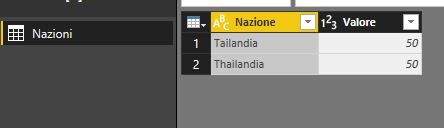
To make an example i created this simple data set which contain those two values in the field Country (Nazione):
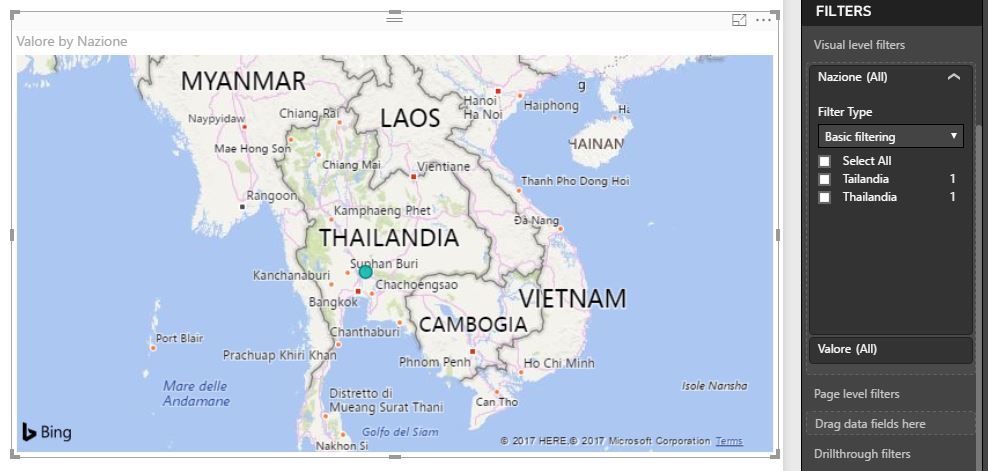
In my Power BI Desktop (November 2017) the two values are placed correctly in the same position over Thailand:
However after the app publication the result is different: country name "Tailandia" is placed on Brasil and country name "Thailandia" is placed correctly.
I know there's a brazilian city called "Tailandia" but why in Power BI Desktop the geo value are different?
Thank's to all
Simone
Solved! Go to Solution.
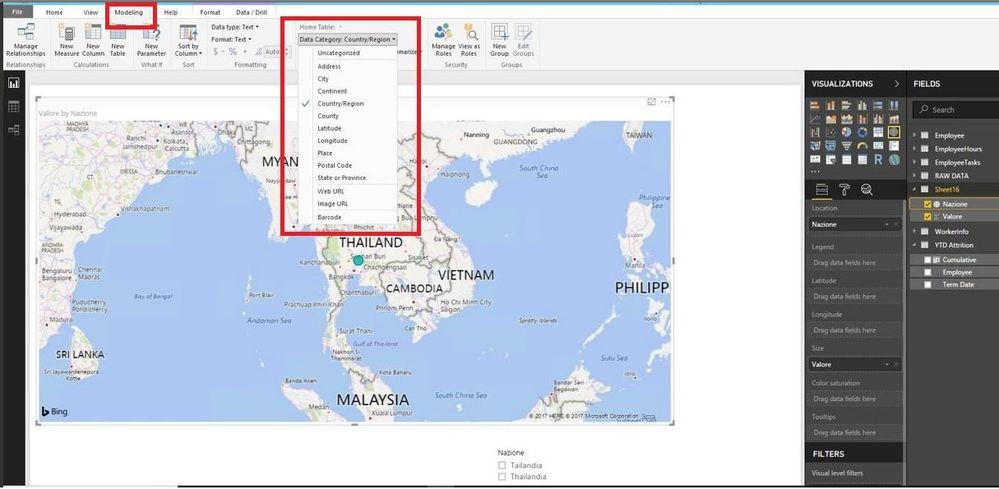
@simonefraquelli,
Please see the highlighted part in the screenshot below.
Regards,
Lydia
@simonefraquelli,
I am unable to reproduce your issue.
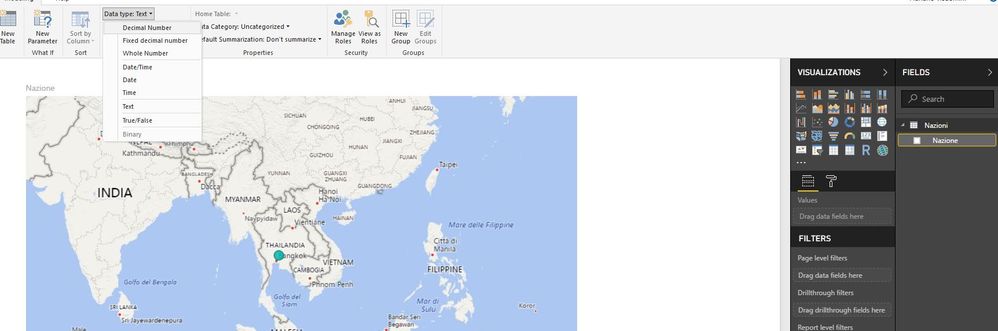
I am using the latest version of Power BI Desktop(2.52.4921.581) and change Data category of the Nazione field to Country/place. After I publish the PBIX file to Service, the map visual worls as expected, please review the following screenshots.
In your scenario, please make sure you use the latest version of Power BI Desktop, and have changed the data category of the Nazione field.
Regards,
Lydia
Hi, thank's, but how i can create a country/region type field?
In my dataset the field country is text type, how i can change it?
@simonefraquelli,
Please see the highlighted part in the screenshot below.
Regards,
Lydia
Thank's!! It work!
Why it's different i dont know exactly. Probably goes for the city like you said.
If you wanna do it correctly, change values Tailandia to Thailandia in the Query editor.
If you have recently started exploring Fabric, we'd love to hear how it's going. Your feedback can help with product improvements.
A new Power BI DataViz World Championship is coming this June! Don't miss out on submitting your entry.
| User | Count |
|---|---|
| 44 | |
| 43 | |
| 38 | |
| 19 | |
| 15 |
| User | Count |
|---|---|
| 68 | |
| 64 | |
| 31 | |
| 29 | |
| 24 |