Join us at FabCon Atlanta from March 16 - 20, 2026, for the ultimate Fabric, Power BI, AI and SQL community-led event. Save $200 with code FABCOMM.
Register now!The Power BI Data Visualization World Championships is back! Get ahead of the game and start preparing now! Learn more
Hello,
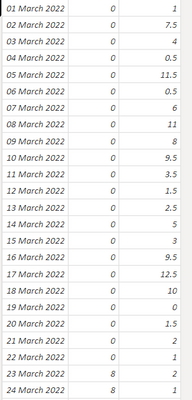
I have data like this:
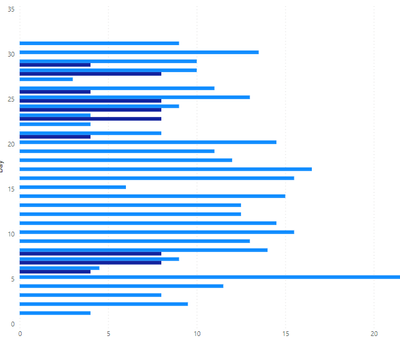
Which is producing a graph like this:
I would like the two colours of blue to be stacked together in a single line. How can I achieve this?
See sample case with wrong orientation:
Solved! Go to Solution.
It eventually just sorted itself, now the graph is displaying correctly.
Hi @Anonymous ,
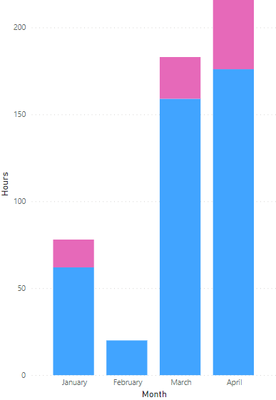
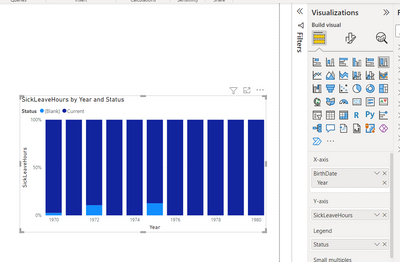
You can try using "100% stacked column chart" ->(it will display something like this - see the screenshot for your reference)
Put your date column(1st column) in X-axis, 3rd column in Y-axis and 2nd column in Legend.
@Anonymous -> Please hit the thumbs up & mark it as solution if this helps you. Thanks.
I need the relative sizes of the bars, so 100% doesn't work.
Try Stacked column charts.
The Power BI Data Visualization World Championships is back! Get ahead of the game and start preparing now!
| User | Count |
|---|---|
| 38 | |
| 38 | |
| 37 | |
| 28 | |
| 28 |
| User | Count |
|---|---|
| 124 | |
| 89 | |
| 73 | |
| 66 | |
| 65 |