Join us at FabCon Atlanta from March 16 - 20, 2026, for the ultimate Fabric, Power BI, AI and SQL community-led event. Save $200 with code FABCOMM.
Register now!View all the Fabric Data Days sessions on demand. View schedule
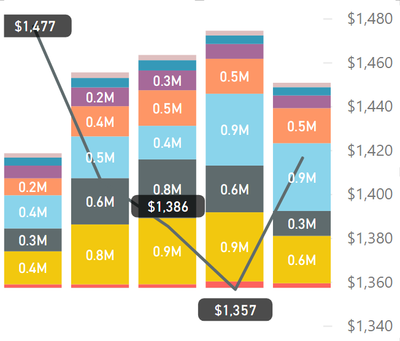
Hi I am having problems getting all labels to show on charts and it seems to be random. I see posts from 2016 about label density but this only applies to pure line charts and I do not see more recent posts.
Is there a way to force all labels for a series to show?
Thanks
James
Hi, @jamesfgriffiths
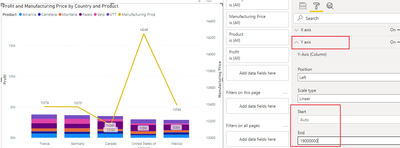
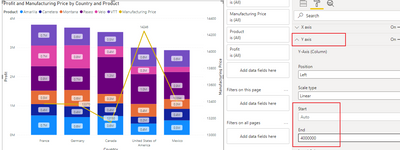
Adjust the Y-axis scale range to a suitable size to fit the box size.
Hope this helps.
Best Regards,
Community Support Team _ Zeon Zheng
If this post helps, then please consider Accept it as the solution to help the other members find it more quickly.
Thanks and while I accept this might work in some situations I need to keep Axis on auto as the values will vary significantly month to month and therefore this does not fix it for me.
Regards
James
@amitchandak Thanks however, Font size already at 8 so can't go smaller. and tried all the position options with no change.
James
@jamesfgriffiths , In label under customize Series, for line try some different position and small font size and check
Check out the November 2025 Power BI update to learn about new features.
Advance your Data & AI career with 50 days of live learning, contests, hands-on challenges, study groups & certifications and more!