Hello,
I have a Query (GetCustomerDetails) that retrieves customer details for a given CustomerID. It returns this as a record which contains a list field (customDomains)
I also have a Query (GetCustomerList) that retrives a list of all customers and their IDs (but it is missing the customDomains field)
I want to merge the two queries so that for each row in GetCustomerList it retrives the customDomains for the matching ID using the GetCustomerDetails query.
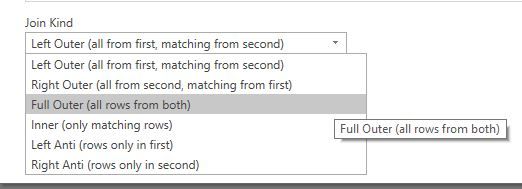
Currently if i merge the two, it only populates the customDomains field for the Customer ID prestipulated in GetCustomerDetails.
I feel like I need to use a parameter of some sort to reference the ID field in GetCustomerList so that it will retrive the customDomains for each row.
This is my merged table:
let
    Source = Table.NestedJoin(GetCustomerList,{"id"},GetCustomerDetails,{"id"},"GetCustomerDetails",JoinKind.LeftOuter),
    #"Expanded GetCustomerDetails" = Table.ExpandTableColumn(Source, "GetCustomerDetails", {"customDomains"}, {"GetCustomerDetails.customDomains"})
in
    #"Expanded GetCustomerDetails"
This is GetCustomerDetails
let
pcToken = #"GetPartnerCenterToken (2)"(OMITTED),

customers = GetCustomerDetail(pcToken,#"GetCustomerList"[id]{0}),
    #"Converted to Table" = Record.ToTable(customers),
    #"Transposed Table" = Table.Transpose(#"Converted to Table"),
    #"Promoted Headers" = Table.PromoteHeaders(#"Transposed Table", [PromoteAllScalars=true]),
    #"Changed Type" = Table.TransformColumnTypes(#"Promoted Headers",{{"id", type text}, {"commerceId", type text}, {"companyProfile", type any}, {"billingProfile", type any}, {"relationshipToPartner", type text}, {"allowDelegatedAccess", type logical}, {"customDomains", type any}, {"links", type any}, {"attributes", type any}})
in
    #"Changed Type"
This is GetCustomerList
let
pcToken = GetPartnerCenterToken(OMITTED),

customers = GetCustomers(pcToken), #"Renamed Columns" = Table.RenameColumns(customers,{{"companyName", "Company Name"}})
in
    #"Renamed Columns"
Any help would be appreciated!