We've captured the moments from FabCon & SQLCon that everyone is talking about, and we are bringing them to the community, live and on-demand. Starts on April 14th. Register now
Hi,
I have a table which has movements for all assets.
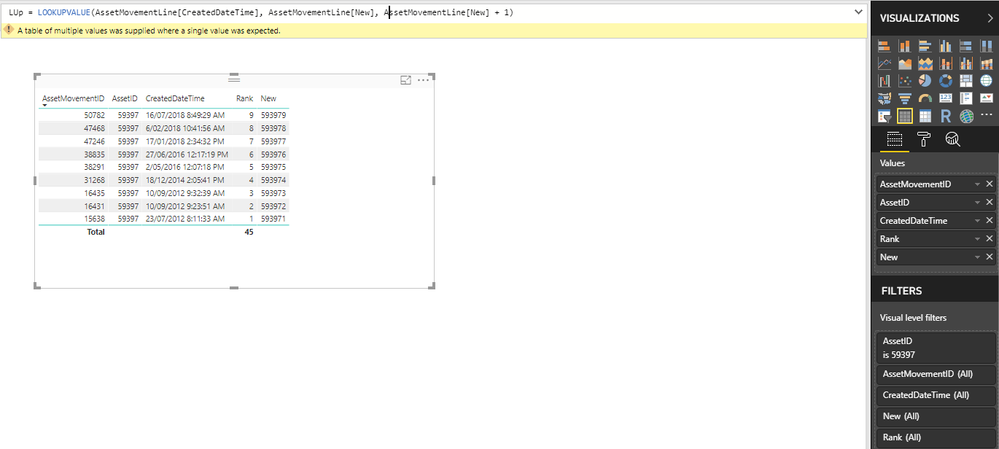
For this one particular asset - 59397, I am trying to get the date it was last used and the lookup errors when I use the formula:
LUp = LOOKUPVALUE(AssetMovementLine[CreatedDateTime], AssetMovementLine[New], AssetMovementLine[New]+1)
New is conactenating the AssetId and Rank.
| AssetMovementID | AssetID | CreatedDateTime | Rank | New |
| 50782 | 59397 | 16/07/2018 8:49 | 9 | 593979 |
| 47468 | 59397 | 6/02/2018 10:41 | 8 | 593978 |
| 47246 | 59397 | 17/01/2018 14:34 | 7 | 593977 |
| 38835 | 59397 | 27/06/2016 12:17 | 6 | 593976 |
| 38291 | 59397 | 2/05/2016 12:07 | 5 | 593975 |
| 31268 | 59397 | 18/12/2014 14:05 | 4 | 593974 |
| 16435 | 59397 | 10/09/2012 9:32 | 3 | 593973 |
| 16431 | 59397 | 10/09/2012 9:23 | 2 | 593972 |
| 15638 | 59397 | 23/07/2012 8:11 | 1 | 593971 |
Any help will be appreciated.
Thanks.
Solved! Go to Solution.
In that case you can take 2 approaches:
1. make sure the [New] column you create is having unique values; something like [rank-asset_id] instead of just concatenating,
2. Use the below DAX
LookUpDate = LOOKUPVALUE(AssetMovementLine[CreatedDateTime], AssetMovementLine[AssetID], AssetMovementLine[AssetID] , AssetMovementLine[Rank],AssetMovementLine[Rank]+1)
.
However I would suggest you to follow the 1st approach as the second one is bit performance costly .
Hope this helps your issue.
Hi ,
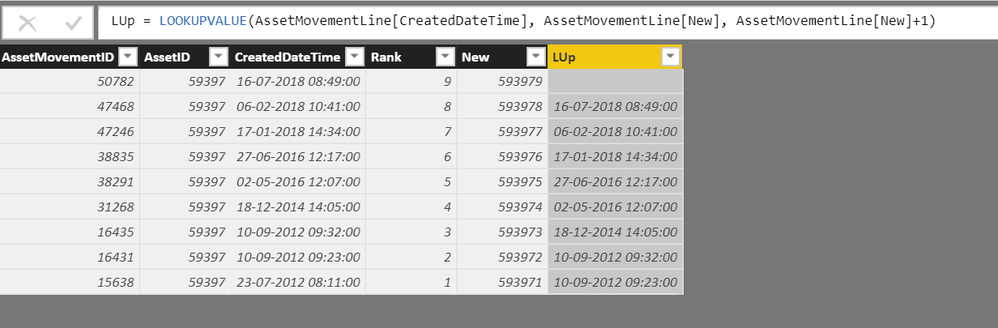
I am not sure what exactly your issue is, I tried replicating it in my end and it worked as normal. Providing the screenshot of it.
Regards,
Praisely
I am getting this possibly because there are more assets in the table?
In that case you can take 2 approaches:
1. make sure the [New] column you create is having unique values; something like [rank-asset_id] instead of just concatenating,
2. Use the below DAX
LookUpDate = LOOKUPVALUE(AssetMovementLine[CreatedDateTime], AssetMovementLine[AssetID], AssetMovementLine[AssetID] , AssetMovementLine[Rank],AssetMovementLine[Rank]+1)
.
However I would suggest you to follow the 1st approach as the second one is bit performance costly .
Hope this helps your issue.
If you have recently started exploring Fabric, we'd love to hear how it's going. Your feedback can help with product improvements.
A new Power BI DataViz World Championship is coming this June! Don't miss out on submitting your entry.
Share feedback directly with Fabric product managers, participate in targeted research studies and influence the Fabric roadmap.
| User | Count |
|---|---|
| 54 | |
| 39 | |
| 32 | |
| 17 | |
| 15 |
| User | Count |
|---|---|
| 64 | |
| 63 | |
| 37 | |
| 36 | |
| 22 |