cancel
Showing results for 
Search instead for 
Did you mean: 

Learn from the best! Meet the four finalists headed to the FINALS of the Power BI Dataviz World Championships! Register now

Reply
kpangelinan
Helper I
Helper I

Lookup Value

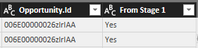
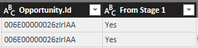
I have two tables (1) Opportunity History Stage 1 and (2) Opportunity History All. In both tables there is an Opportunity.Id column which I can use to create a relationship. Also, In the Stage 1 table, I created a column called 'From Stage 1' and entered the text Yes so that I could populate this on the second table so that I know the Opportunity came from that initial batch of opportunities created.


What I need is to create a column in the 'Opportunity History All' table that pulls a "Yes" from the the "From Stage 1" column of the 'Opportunity History Stage 1' table.


Please let me know if you need me to provide further detail or explanation or the columns/tables. Thank you!!cap1.PNGcap1.PNG

1 ACCEPTED SOLUTION
prakash_gautam
Resolver II
Resolver II

Hi,


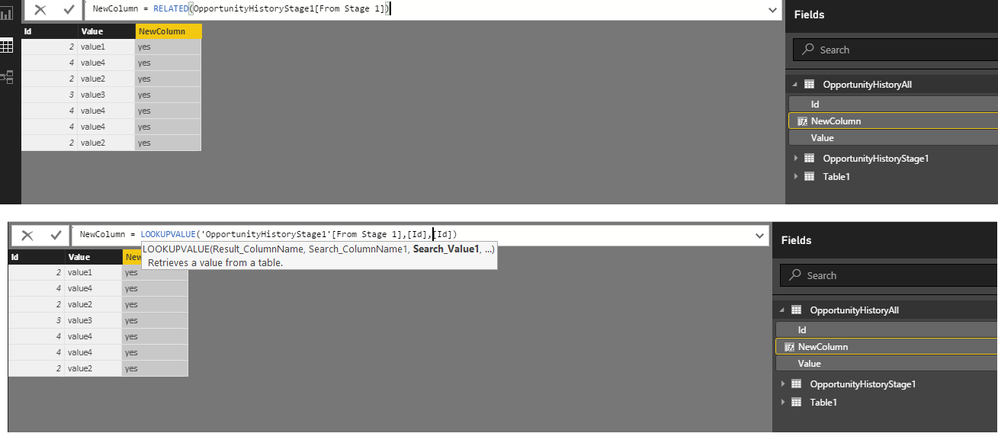
For a DAX solution you can use (if there is relationship and OpportunityHistoryAll is in many side):


NewColumn = RELATED(OpportunityHistoryStage1[From Stage 1])


without a relationhip:


NewColumn = LOOKUPVALUE('OpportunityHistoryStage1'[From Stage 1],[Id],[Id])


Plese see screen below.

lookupvalue.png


Thanks

View solution in original post

2 REPLIES 2
prakash_gautam
Resolver II
Resolver II

Hi,


For a DAX solution you can use (if there is relationship and OpportunityHistoryAll is in many side):


NewColumn = RELATED(OpportunityHistoryStage1[From Stage 1])


without a relationhip:


NewColumn = LOOKUPVALUE('OpportunityHistoryStage1'[From Stage 1],[Id],[Id])


Plese see screen below.

lookupvalue.png


Thanks

@prakash_gautam This worked perfectly. I used the lookupvalue option and was able to pull in the 'Yes' column.

Thank you so much for your time and help!

bi success.PNG

Helpful resources

Announcements
Join our Fabric User Panel

Join our Fabric User Panel

Share feedback directly with Fabric product managers, participate in targeted research studies and influence the Fabric roadmap.

February Power BI Update Carousel

Power BI Monthly Update - February 2026

Check out the February 2026 Power BI update to learn about new features.

FabCon Atlanta 2026 carousel

FabCon Atlanta 2026

Join us at FabCon Atlanta, March 16-20, for the ultimate Fabric, Power BI, AI and SQL community-led event. Save $200 with code FABCOMM.

Top Kudoed Authors