Join us at FabCon Atlanta from March 16 - 20, 2026, for the ultimate Fabric, Power BI, AI and SQL community-led event. Save $200 with code FABCOMM.
Register now!The Power BI Data Visualization World Championships is back! Get ahead of the game and start preparing now! Learn more
Hello.
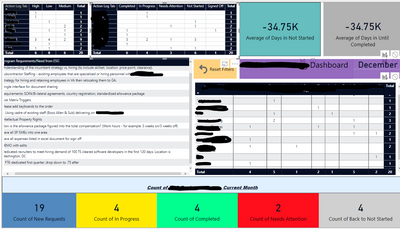
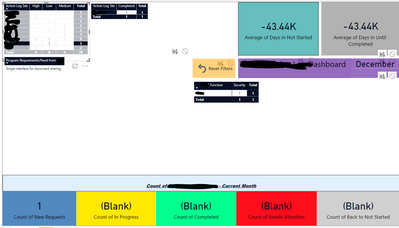
I have 4 matrix tables for a dashboard. When the user clicks on a value, the tables act as intended and drill down the information. The size of the tables changes/collaspes dues to not having data to display in that field. Is it possible to have the table set/locked even though there is no data to display (like the left picture below)?
Before
AfterThe collasped view is hideous.
Thank you in advance!
Solved! Go to Solution.
Hello. Thank you for the response. I created the other table but could not establish the relationship like you suggested...i am not given the option Not sure what I am doing wrong.
Would you be able to provide a little more detail?
Thank you again!
@Anonymous,
Add a separate table that contains column headers in the matrix and create relationship on the column, then drag the column from this table to Columns and select Show items with no data.
Hello. Thank you for the response. I created the other table but could not establish the relationship like you suggested...i am not given the option Not sure what I am doing wrong.
Would you be able to provide a little more detail?
Thank you again!
The Power BI Data Visualization World Championships is back! Get ahead of the game and start preparing now!
| User | Count |
|---|---|
| 39 | |
| 38 | |
| 38 | |
| 28 | |
| 24 |
| User | Count |
|---|---|
| 120 | |
| 93 | |
| 70 | |
| 69 | |
| 66 |