cancel
Showing results for 
Search instead for 
Did you mean: 

View all the Fabric Data Days sessions on demand. View schedule

Reply
Anonymous
Not applicable

Line in the graph of lines and columns doesn't go down to 0

I have made a graph of lines and columns with a timeline in the X-axis and Number of Adjusts in the Y-axis, the table that feeds the columns have the numbers of adjusts through all days, on the other hand the table that feeds the line doesn't have values on sundays, i would like the line to go down to 0 on these days, but it shows the value of the next day.


Print BI.JPG

The line should reach 0 on the days 02, 09 , 16, 23

3 REPLIES 3
v-yuta-msft
Community Support
Community Support

Hi HercHP ,


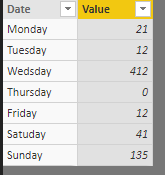
You can add value "0" to these days.


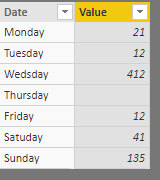
Before add "0"

111.PNGCapture.PNG


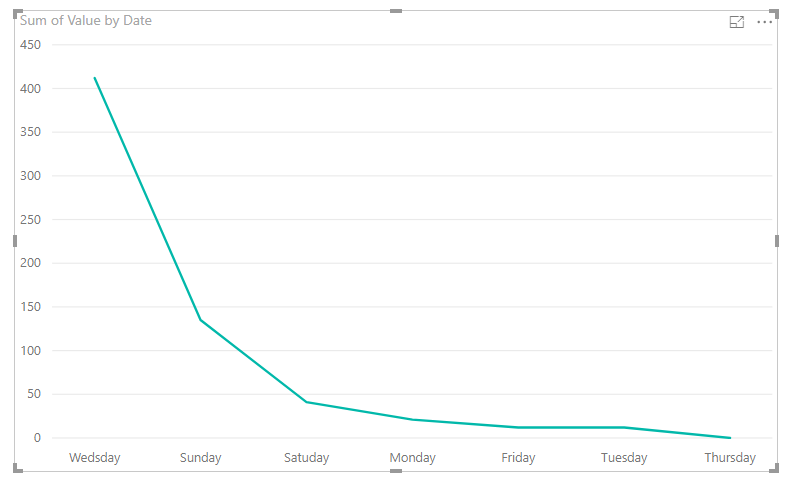
After add "0"

22.PNG2.PNG 


Regards,

Jimmy Tao

Anonymous
Not applicable

The Y-axis values come from a counter that is calculated like this =1/CALCULATE(COUNTA(Z065223[Concatena D-F-O-OCR]); ALLEXCEPT(Z065223;Z065223[Concatena D-F-O-OCR])), i don't know how i can enter values to the table becaus the column [Concatena D-F-O-OCR] is a text column

Hi HercHP,


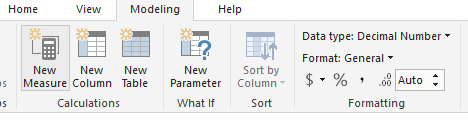
Click Modeling-> Data type-> decimal number.

Capture.PNG

Regards,

Jimmy Tao

Helpful resources

Announcements
November Power BI Update Carousel

Power BI Monthly Update - November 2025

Check out the November 2025 Power BI update to learn about new features.

Fabric Data Days Carousel

Fabric Data Days

Advance your Data & AI career with 50 days of live learning, contests, hands-on challenges, study groups & certifications and more!

FabCon Atlanta 2026 carousel

FabCon Atlanta 2026

Join us at FabCon Atlanta, March 16-20, for the ultimate Fabric, Power BI, AI and SQL community-led event. Save $200 with code FABCOMM.

Top Solution Authors
Top Kudoed Authors