Join us at FabCon Atlanta from March 16 - 20, 2026, for the ultimate Fabric, Power BI, AI and SQL community-led event. Save $200 with code FABCOMM.
Register now!The Power BI Data Visualization World Championships is back! Get ahead of the game and start preparing now! Learn more
Hi
I was watching a video on how to use Line and Stacked column visual. In the video, he went to Format--> Y axis --> Show seconday (the video link is below).
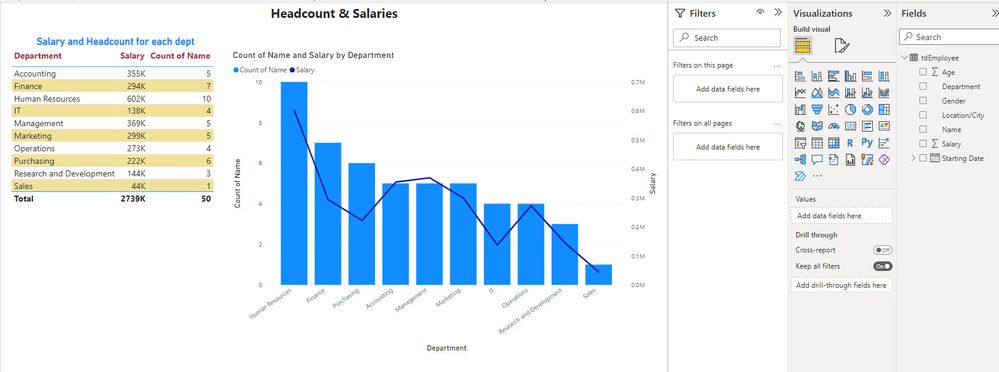
I used the same visual and to my surprised PBI already created 2 Y axis for me. Is that something new added that the was not availble when that video published? Thank you very much.
The video
https://www.youtube.com/watch?v=ypwc9U58gIQ&t=277s
My chart:
it has been available since quite some time. Do you have a related issue?
The Power BI Data Visualization World Championships is back! Get ahead of the game and start preparing now!
| User | Count |
|---|---|
| 39 | |
| 37 | |
| 33 | |
| 32 | |
| 29 |
| User | Count |
|---|---|
| 132 | |
| 88 | |
| 82 | |
| 68 | |
| 64 |