Greetings,
I found out PowerBI existed six months ago and now I am tasked with creating an implementation. I love it so far.
My scenario: every day, five data points (including time) for 36 separate locations are generated.
| Date | Time | Location | Paramter 1 | Parameter 2 | Parameter 3 | Parameter 4 |
| 3/23/2023 | 719 | LOCATION 1 | 2.64 | 0.27 | 2.30 | 0.006 |
| 3/23/2023 | 813 | LOCATION 2 | 2.66 | 0.22 | 2.10 | 0.005 |
| 3/23/2023 | 1535 | LOCATION 3 | 2.55 | 0.23 | 2.30 | 0.007 |
| … | … | … | … | … | … | … |
| 3/23/2023 | 1650 | LOCATION 36 | 2.92 | 0.19 | 2.40 | 0.007 |
They are plotted on a line graph to track over time.
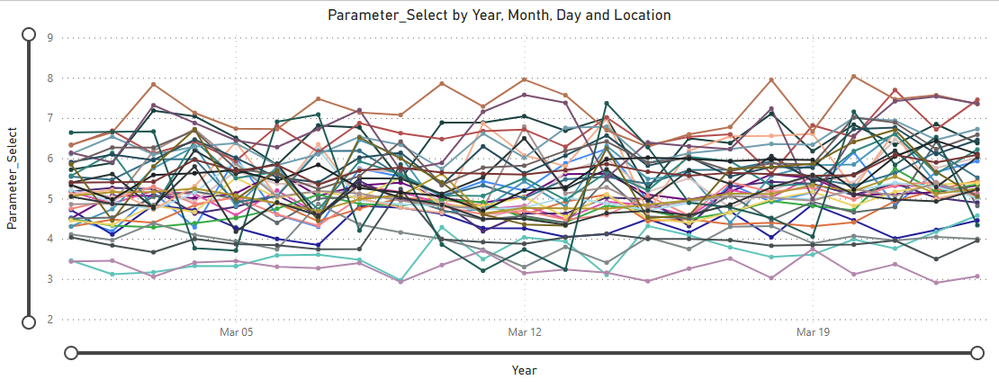
I have several slicers, one of which specifies parameters, that populates the graph with only the relevant data point per location. The problem arises when two or more parameters are selected. Instead of plotting separate points/lines for each parameter, the combination of selections is summed. So for example, if I chose parameters 1, 2, and 3 for Location 1, instead of three plot points, 2.64, 0.27, and 2.30 respectively, the graph plots one point at 5.21.
I have other slicers that specify date ranges, locations, and even groups of locations. Those works perfectly. I used measures for each of the parameters because plotting the sums of the columns was giving me even more trouble. Those measures all work fine:
Measure1 = SUM('Table'[Parameter1])
I don't know if the measure I use to plot them is the problem:
Parameter_Select =
SUMX (
VALUES ( 'Sort_Parameters'[Parameter] ),
SWITCH (
'Sort_Parameters'[Parameter],
"Paramter1", [Paramter1],
"Paramter2", [Paramter2],
"Paramter3", [Paramter3],
"Paramter4", [Paramter4]
)
)
I get no errors on any of my columns or measures. I know 4 parameters for 36 locations yields 144 data points per day, but that's how it has to be (for now). If someone could at least point me in the right direction I would appreciate it, as I have been looking for a solution and I'm not sure I'm even using the correct keywords.


