Join us at FabCon Atlanta from March 16 - 20, 2026, for the ultimate Fabric, Power BI, AI and SQL community-led event. Save $200 with code FABCOMM.
Register now!The Power BI Data Visualization World Championships is back! Get ahead of the game and start preparing now! Learn more
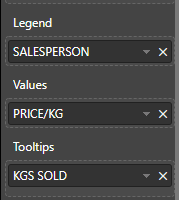
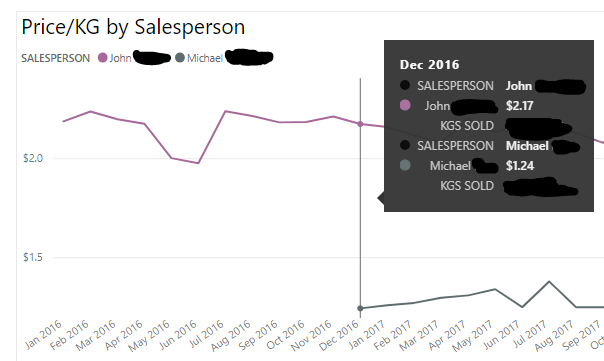
I'm getting redundant details on the tooltips of my line chart. The salesperson name is showing up twice. Once associated with the legend and once associated with the value. Why is it doing this? Is there a way to remove the "SALESPERSON" item from my tooltip? It looks bad to have the person's name show up twice the way it does.
Thanks!
Solved! Go to Solution.
Hi @Trudgeon
When i add columns and measures to "Value" and "Tooltips" field and set the "Tooltip" as "Default", it shows the same as you.
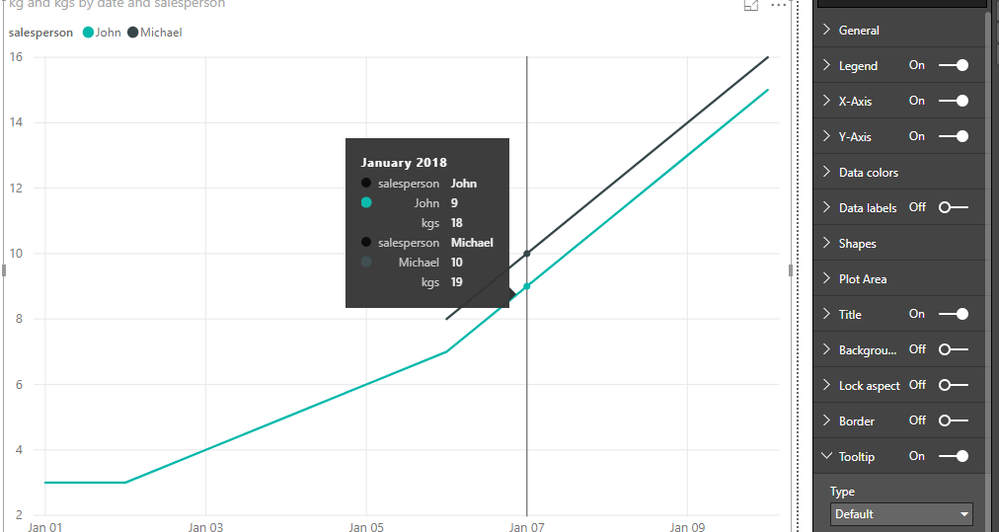
As tested and reseraching, i'm afraid it is the default design in Power BI currently.
you may add your idea here to let more people know and vate for your idea, finally it may be accepted by Product team.
As a workaround, i change the Tooltip setting from "Default" to "Report Page".
I try two methods.
One is to use Card visual and Text Box, also create new measures to show each person's value.
create measures
Michael = "Michael"
value-John = CALCULATE(SUM(Sheet6[kg]),FILTER(Sheet6,[salesperson]="John"))
tootip-John = CALCULATE([kgs],FILTER(Sheet6,[salesperson]="John"))
value-Michael = IF(CALCULATE(SUM(Sheet6[kg]),FILTER(Sheet6,[salesperson]="Michael"))<>BLANK(),
CALCULATE(SUM(Sheet6[kg]),FILTER(Sheet6,[salesperson]="Michael")),0)
tootip-Michael = IF([value-Michael]=0,0,CALCULATE([kgs],FILTER(Sheet6,[salesperson]="Michael")))
in another page, called Page3, add [date] column, these measures in the Card visual, also create two Text Box and write "KGS SOLD" in it.
Then set this page as "Tooltip" by turning on "tooltip" button under the Page information and selecting "tooltip" under Page size.
for the Line chart, select "Report Page"-> Page3.
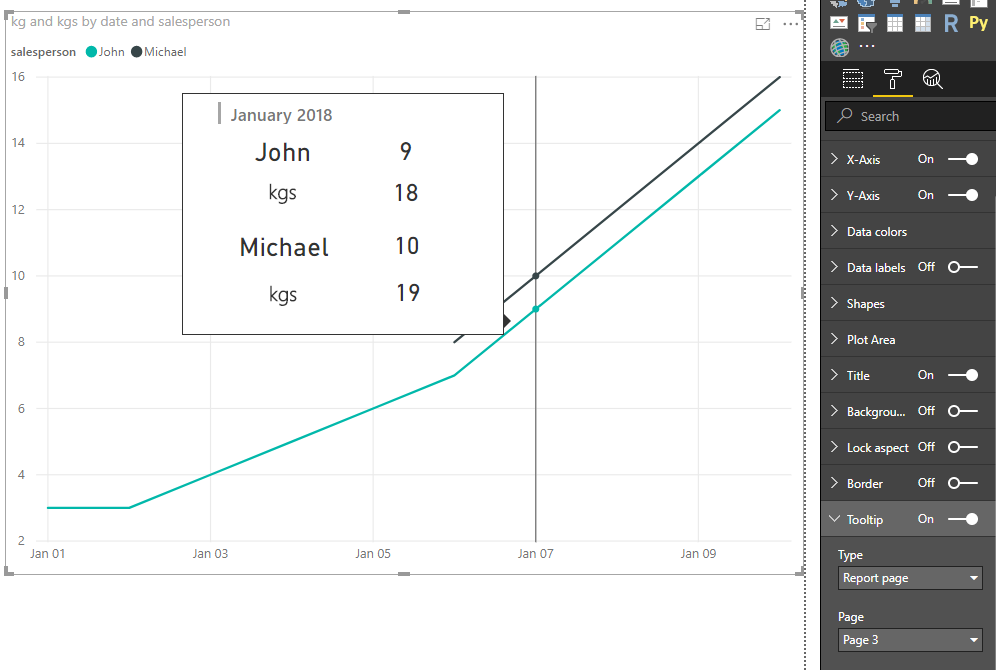
The second method please see my pbix->Page2
Reference: Report tooltip
Best Regards
Maggie
Hi @Trudgeon
When i add columns and measures to "Value" and "Tooltips" field and set the "Tooltip" as "Default", it shows the same as you.
As tested and reseraching, i'm afraid it is the default design in Power BI currently.
you may add your idea here to let more people know and vate for your idea, finally it may be accepted by Product team.
As a workaround, i change the Tooltip setting from "Default" to "Report Page".
I try two methods.
One is to use Card visual and Text Box, also create new measures to show each person's value.
create measures
Michael = "Michael"
value-John = CALCULATE(SUM(Sheet6[kg]),FILTER(Sheet6,[salesperson]="John"))
tootip-John = CALCULATE([kgs],FILTER(Sheet6,[salesperson]="John"))
value-Michael = IF(CALCULATE(SUM(Sheet6[kg]),FILTER(Sheet6,[salesperson]="Michael"))<>BLANK(),
CALCULATE(SUM(Sheet6[kg]),FILTER(Sheet6,[salesperson]="Michael")),0)
tootip-Michael = IF([value-Michael]=0,0,CALCULATE([kgs],FILTER(Sheet6,[salesperson]="Michael")))
in another page, called Page3, add [date] column, these measures in the Card visual, also create two Text Box and write "KGS SOLD" in it.
Then set this page as "Tooltip" by turning on "tooltip" button under the Page information and selecting "tooltip" under Page size.
for the Line chart, select "Report Page"-> Page3.
The second method please see my pbix->Page2
Reference: Report tooltip
Best Regards
Maggie
Hi @v-juanli-msft , is it possible to send to the tooltip info which item is hovered on the line chart? For example, if I hover on the first line (Michael), is it possible to display info related to Michael only?
The Power BI Data Visualization World Championships is back! Get ahead of the game and start preparing now!
| User | Count |
|---|---|
| 40 | |
| 37 | |
| 33 | |
| 29 | |
| 27 |
| User | Count |
|---|---|
| 134 | |
| 104 | |
| 63 | |
| 60 | |
| 55 |