
cancel
Showing results for 
Search instead for 
Did you mean: 

July 7 - July 17 | Round 2 of the Power BI Dataviz World Championships. Don't miss your chance! Learn more

Reply
Dgreen23
Helper III
Helper III

Line Chart Error Assistance

I have a line chart on a dashboard that will not cooperate. On the desktop app, I set the line data color to red. When I upload the dashboard to my workplace it shows blue. I change the line chart to red again in the online app, and it resets back to blue. Has anyone else had this issue or know of a workaround for this?

4 REPLIES 4
v-diye-msft
Community Support
Community Support

Hi @Dgreen23 


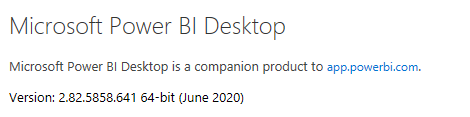
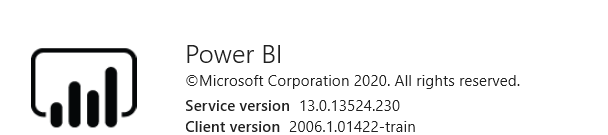
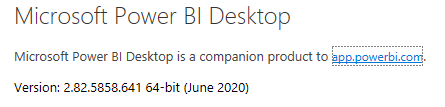
I just tested it on my side, and it works fine on my side, it seems a transient issue. would you please confirm you're using the latest desktop version as well as the service version?

001.PNG

002.PNG

Also, please confirm the browser you use is supported:

Power BI supports these browsers on all platforms where they're available:

  • Microsoft Edge
  • Internet Explorer 11. Some advanced features, such as lineage view, aren't supported in Internet Explorer. See Data lineage (preview) for details.
  • Chrome desktop latest version
  • Safari Mac latest version
  • Firefox desktop latest version. Firefox may change the fonts used in Power BI

https://docs.microsoft.com/en-us/power-bi/fundamentals/power-bi-browsers 


Community Support Team _ Dina Ye
If this post helps, then please consider Accept it as the solution to help the other members find it more
quickly.

@v-diye-msft,


Power BI Version:

Power BI Version.PNG

Chrome Version:

Chrome Version.PNG

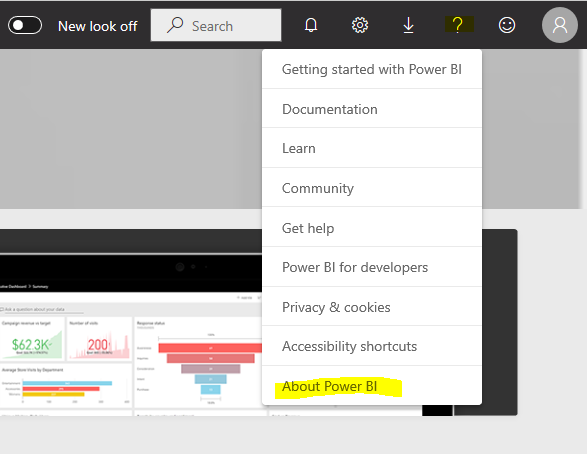
Where do I find the service version?

Hi @Dgreen23 


Sorry for my late reply, here you go:

05.PNG


Any updates about the question? 


Community Support Team _ Dina Ye
If this post helps, then please consider Accept it as the solution to help the other members find it more
quickly.
parry2k
Super User
Super User

@Dgreen23 Weird, I hope there is no conditional formatting or something like that.


Subscribe to the @PowerBIHowTo YT channel for an upcoming video on List and Record functions in Power Query!!

Learn Power BI and Fabric - subscribe to our YT channel - Click here: @PowerBIHowTo

If my solution proved useful, I'd be delighted to receive Kudos. When you put effort into asking a question, it's equally thoughtful to acknowledge and give Kudos to the individual who helped you solve the problem. It's a small gesture that shows appreciation and encouragement! ❤


Did I answer your question? Mark my post as a solution. Proud to be a Super User! Appreciate your Kudos 🙂
Feel free to email me with any of your BI needs.

Helpful resources

Announcements
FabCon and SQLCon Barcelona 2026

FabCon & SQLCon – Barcelona 2026

Join us in Barcelona for FabCon and SQLCon, the Fabric, Power BI, SQL, and AI community event. Save €200 with code FABCMTY200.

60 days of Data Days Carousel

Data Days 2026

Join Data Days 2026: 60 days of free live/on-demand sessions, challenges, study groups, and certification opportunities.

Power BI DataViz World Championships carousel

Power BI DataViz World Championships - June 2026

A new Power BI DataViz World Championship is coming this June! Don't miss out on submitting your entry.

Top Solution Authors