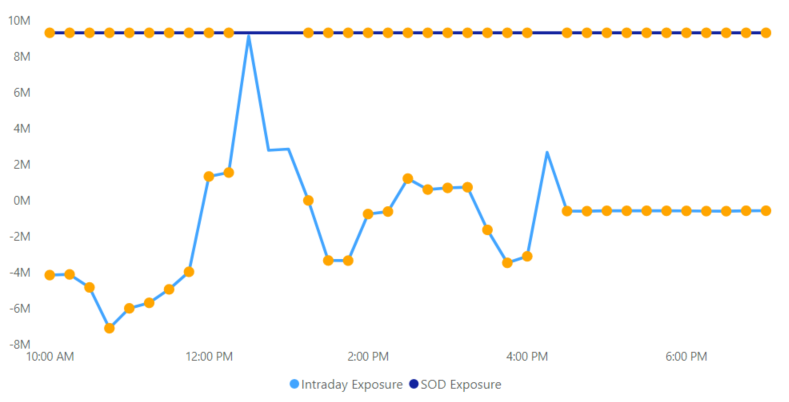
Hi there,
I have been working at this for a while with no luck - hoping someone in the community can help!
I have a line chart that I have applied conditional formatting to so that I can see dots appear on the line after a field reaches a certain threshold. However, I need to display two lines on this line chart and I only want the dots to show up on one of them. I followed these instructions to create these dots: https://www.biinsight.com/quick-tips-line-chart-and-area-chart-conditional-formatting-in-power-bi/
My measure to create the condition is (I am hoping to apply the conditional formatting to ONLY the Intraday Exposure line - possibly something I can modify here?):
Perc Change Conditional Formatting =
var selection = SELECTEDVALUE('NSCC Intraday'[Intraday Exposure])
return
SWITCH(TRUE()
, ISBLANK([All Account % Change Tooltip]), BLANK()
, [All Account % Change] <= -80, "Orange"
, BLANK()
)
Results right now (Again, I only want the dots on the Intraday Exposure line, NOT the SOD Exposure line):