Don't miss your chance to take the Fabric Data Engineer (DP-600) exam for FREE! Find out how by attending the DP-600 session on April 23rd (pacific time), live or on-demand.
Learn moreJoin the FabCon + SQLCon recap series. Up next: Power BI, Real-Time Intelligence, IQ and AI, and Data Factory take center stage. All sessions are available on-demand after the live show. Register now
Hello,
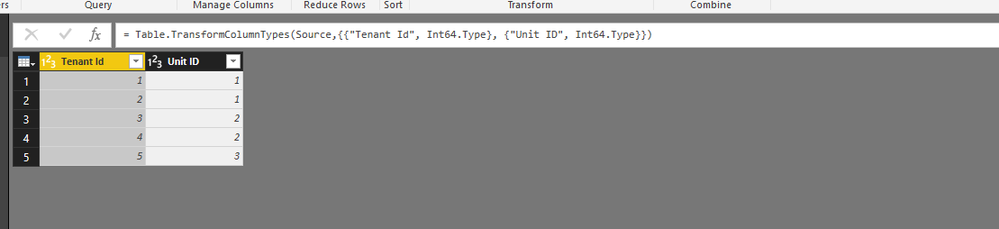
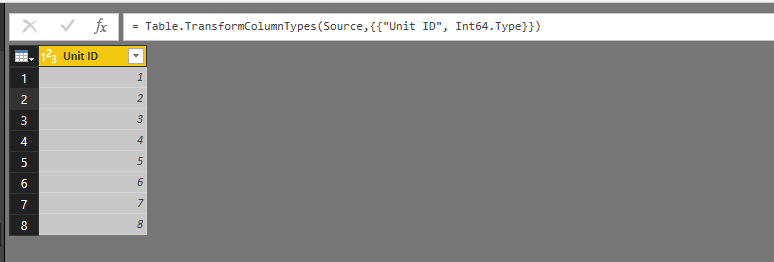
I have some issues in joining two tables. I have the TENANT table which has all tenants information and UNITS table which has all buildings units information. I need to join these two tables in order to create some analysis. The problem is that I have some vacant units with no tenants, thus they do not exist in TENANT table but they exist in UNITS table. Therefore, I create a left join so I keep the vacant units in my joined table.
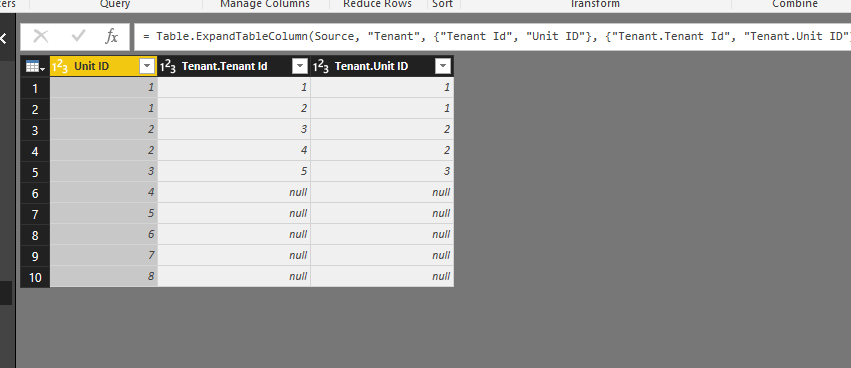
The totals of the table are correct but the vacant units do not appear in the joinned table.
Can you please give some ideas why this is happening?
Many thanks,
Marios
hi @Anonymous
I presume you are using the "Merge Queries" drop down on manage queries?
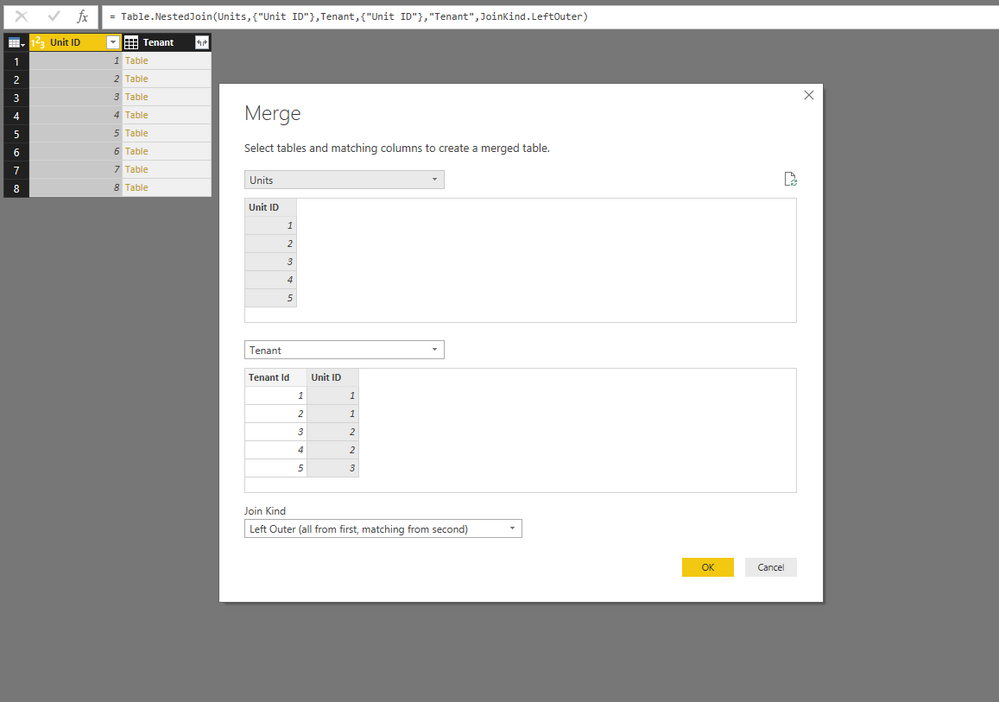
If you are did you execute the merge with UNITS as the top query and TENANT as the bottom query in the Merge dialogue when you specified Left Outer (all from first,matching from second)?
Hello gooranga,
Many thanks for your prompt response. Yes first was the UNITS and second was the TENANTS as I need to keep all the information from units table.
Best regards,
Marios
I just did a quick test and I can merge the tables keeping all the units? is that hpw you merged your tables?
Check out the April 2026 Power BI update to learn about new features.
If you have recently started exploring Fabric, we'd love to hear how it's going. Your feedback can help with product improvements.
A new Power BI DataViz World Championship is coming this June! Don't miss out on submitting your entry.
| User | Count |
|---|---|
| 48 | |
| 46 | |
| 41 | |
| 20 | |
| 17 |
| User | Count |
|---|---|
| 69 | |
| 67 | |
| 32 | |
| 27 | |
| 26 |