Join us at FabCon Atlanta from March 16 - 20, 2026, for the ultimate Fabric, Power BI, AI and SQL community-led event. Save $200 with code FABCOMM.
Register now!The Power BI Data Visualization World Championships is back! It's time to submit your entry. Live now!
Hello all,
I have a report that analyses the number of costumers that come to my business, I made some KPI's that compares the number of costumers from a chosen day with the same day from the previous week.
What I would like to do is that when I open the report I could see today's values compared with last week without haven to select the date of today in the timeline first.
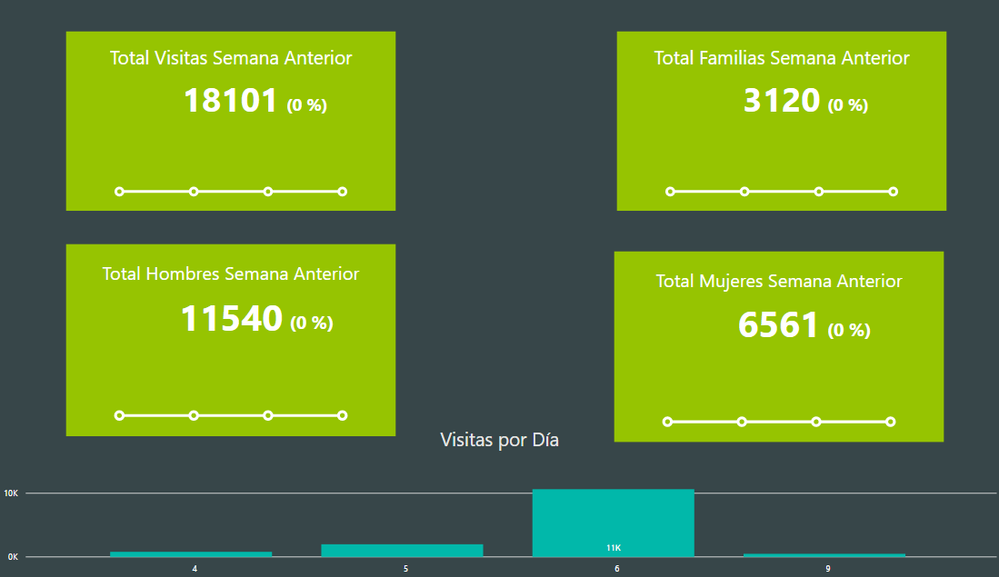
Here is what I see when I open my report:
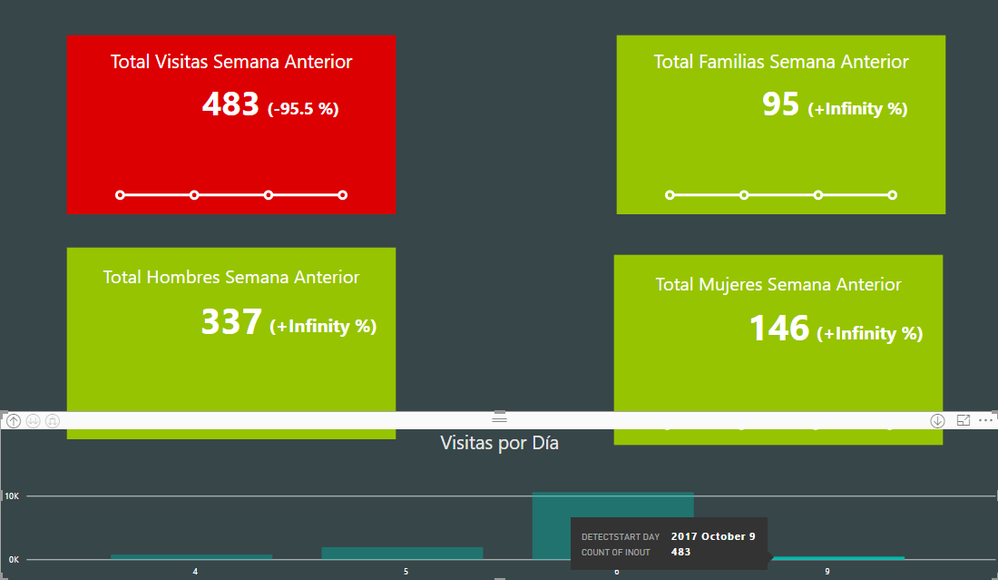
And this is how I need to filter the data to see today's analysis:
Is there any idea of how can I do it?
Thanks!
Solved! Go to Solution.
You could add an additional slicer by creating a calculated column, and select "Yes" by default.
IsToday = IF ( Table1[Date] = TODAY (), "Yes", "No" )
You could add an additional slicer by creating a calculated column, and select "Yes" by default.
IsToday = IF ( Table1[Date] = TODAY (), "Yes", "No" )
The Power BI Data Visualization World Championships is back! It's time to submit your entry.
Check out the January 2026 Power BI update to learn about new features.
| User | Count |
|---|---|
| 69 | |
| 44 | |
| 34 | |
| 28 | |
| 23 |
| User | Count |
|---|---|
| 143 | |
| 122 | |
| 59 | |
| 40 | |
| 32 |