FabCon is coming to Atlanta
Join us at FabCon Atlanta from March 16 - 20, 2026, for the ultimate Fabric, Power BI, AI and SQL community-led event. Save $200 with code FABCOMM.
Register now!- Power BI forums
- Get Help with Power BI
- Desktop
- Service
- Report Server
- Power Query
- Mobile Apps
- Developer
- DAX Commands and Tips
- Custom Visuals Development Discussion
- Health and Life Sciences
- Power BI Spanish forums
- Translated Spanish Desktop
- Training and Consulting
- Instructor Led Training
- Dashboard in a Day for Women, by Women
- Galleries
- Data Stories Gallery
- Themes Gallery
- Contests Gallery
- QuickViz Gallery
- Quick Measures Gallery
- Visual Calculations Gallery
- Notebook Gallery
- Translytical Task Flow Gallery
- TMDL Gallery
- R Script Showcase
- Webinars and Video Gallery
- Ideas
- Custom Visuals Ideas (read-only)
- Issues
- Issues
- Events
- Upcoming Events
The Power BI Data Visualization World Championships is back! Get ahead of the game and start preparing now! Learn more
- Power BI forums
- Forums
- Get Help with Power BI
- Desktop
- Re: Issue with using "# of Months Complete" to do ...
- Subscribe to RSS Feed
- Mark Topic as New
- Mark Topic as Read
- Float this Topic for Current User
- Bookmark
- Subscribe
- Printer Friendly Page

- Mark as New
- Bookmark
- Subscribe
- Mute
- Subscribe to RSS Feed
- Permalink
- Report Inappropriate Content
Issue with using "# of Months Complete" to do a calculation
I need to take Total Amount for a Year, Divided by a Base to get a Calculation (the measure).
It must flex with each year, so for this year, it must prorate the Calculation since the year is not complete.
Desired Result:

My issue is there is not always an "amount" for every month of the year, but I need it to divide by the total # of months completed regardless.
Ex - "Amounts" table:
Fiscal Year 2020: "Nineteen" only had data for April, May, and June.
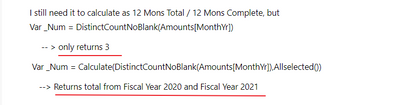
I still need it to calculate as 12 Mons Total / 12 Mons Complete, but
Var _Num = DistinctCountNoBlank(Amounts[MonthYr])
-- > only returns 3
Var _Num = Calculate(DistinctCountNoBlank(Amounts[MonthYr]),Allselected())
--> Returns total from Fiscal Year 2020 and Fiscal Year 2021
How do I return the maximum count regardless as to if that Name as a value for all months?
I wanted to do something like:
Var _Num = Calculate(DistinctCountNoBlank(Amounts[MonthYr]),Allselected(),Filter(Amounts,Amounts[Fiscal Year]=Earlier(Amounts[Fiscal Year])
but I can't use Earlier in a Measure Context...


- Mark as New
- Bookmark
- Subscribe
- Mute
- Subscribe to RSS Feed
- Permalink
- Report Inappropriate Content
Hi, @Anonymous
You can change 'earlier' to 'selectedvalue' in measure.
The result you want to get is not 3 or 8. What should the result be? It’s not difficult, you just need to make it clear what you want, but I’m a little confused from your description. So if you still can't get the correct result after modifying the code, please explain it again, we can help you soon.
Best Regards
Janey Guo
If this post helps, then please consider Accept it as the solution to help the other members find it more quickly.
- Mark as New
- Bookmark
- Subscribe
- Mute
- Subscribe to RSS Feed
- Permalink
- Report Inappropriate Content
@v-janeyg-msft apologies:
For 2020 - instead of 3, I need 12.
For 2021 - I need 9
If both 2020 and 2021 are selected or a "Total" Column is shown: 21 (12+9)
(Month Complete of the "Desired Table")
I tried
Var _Num = Calculate(DistinctCountNoBlank(Amounts[MonthYr]),
Filter(AllSelected(Amounts),Amounts[Fiscal Period]=Max(Amounts[Fiscal Period]))
)
This works perfectly to display the columns the problem is if I want to see a "Total".
It only gives the months for the max Fiscal Period (2021, which is through 9 months) rather than adding 9+12 = 21.
It makes sense that is the result since that is what I have written, but I don't know how to fix it..
**update:
Var _Num = Calculate(DistinctCountNoBlank(Amounts[MonthYr]),
Filter(AllSelected(Amounts),Amounts[Fiscal Period]=(Amounts[Fiscal Period]))
)
works perfectly for the "Total" but not for the individual Year Columns.
Is there some way to get both to work in the same measure? is it impossible?
- Mark as New
- Bookmark
- Subscribe
- Mute
- Subscribe to RSS Feed
- Permalink
- Report Inappropriate Content
- Mark as New
- Bookmark
- Subscribe
- Mute
- Subscribe to RSS Feed
- Permalink
- Report Inappropriate Content
Hi, @Anonymous
I'm back. I will help you but I still need more information, the data() you provided don't show 'Amounts[MonthYr]' column, I can’t see how many there are so I don’t know how 12+9 is calculated. If there is no logic, You can define it manually. If has, please share more data for reference.
Best Regards
Janey Guo
- Mark as New
- Bookmark
- Subscribe
- Mute
- Subscribe to RSS Feed
- Permalink
- Report Inappropriate Content
Amounts[MonthYr] is the "Date" column here:
I just accidently labeled it differently in the picture.
- Mark as New
- Bookmark
- Subscribe
- Mute
- Subscribe to RSS Feed
- Permalink
- Report Inappropriate Content
Hi, @Anonymous
In your picture, I only can see 'fiscal period in 2020' has 2 months and 'fiscal period in 2021' has 5months. I have asked you, but you didn't tell me why the result of 12+9 occurred.
If you have no logic, you can directly define it manually:
measure =
SUMX (
    SUMMARIZE (
        Amounts,
        "a", IF ( SELECTEDVALUE ( 'Amounts'[Fiscal Period] ) = "2020", 9, 12 )
    ),
    [a]
)
Or try to modify it?

If it doesn't solve your problem, Can you share some complete data that we need to know about the calculation results?
Best Regards
Janey Guo
If this post helps, then please consider Accept it as the solution to help the other members find it more quickly.


- Mark as New
- Bookmark
- Subscribe
- Mute
- Subscribe to RSS Feed
- Permalink
- Report Inappropriate Content
@Anonymous , with help from date table
This year Sales = CALCULATE(DistinctCountNoBlank(Amounts[MonthYr]),DATESYTD(ENDOFYEAR('Date'[Date]),"12/31"))/12
Last year Sales = CALCULATE(DistinctCountNoBlank(Amounts[MonthYr]),DATESYTD(ENDOFYEAR(dateadd('Date'[Date],-1,Year)),"12/31"))/12
//Only year vs Year, not a level below. But with independent table
This Year = CALCULATE(DistinctCountNoBlank(Amounts[MonthYr]),filter(ALL('Date'),'Date'[Year]=max('Date'[Year])))
Last Year = CALCULATE(DistinctCountNoBlank(Amounts[MonthYr]),filter(ALL('Date'),'Date'[Year]=max('Date'[Year])-1))
To get the best of the time intelligence function. Make sure you have a date calendar and it has been marked as the date in model view. Also, join it with the date column of your fact/s. Refer :radacad sqlbi My Video Series Appreciate your Kudos.
Helpful resources

Power BI Dataviz World Championships
The Power BI Data Visualization World Championships is back! Get ahead of the game and start preparing now!

Power BI Monthly Update - November 2025
Check out the November 2025 Power BI update to learn about new features.

FabCon Atlanta 2026
Join us at FabCon Atlanta, March 16-20, for the ultimate Fabric, Power BI, AI and SQL community-led event. Save $200 with code FABCOMM.

| User | Count |
|---|---|
| 59 | |
| 43 | |
| 42 | |
| 23 | |
| 17 |


| User | Count |
|---|---|
| 190 | |
| 122 | |
| 96 | |
| 66 | |
| 47 |


