Join us at FabCon Atlanta from March 16 - 20, 2026, for the ultimate Fabric, Power BI, AI and SQL community-led event. Save $200 with code FABCOMM.
Register now!The Power BI Data Visualization World Championships is back! Get ahead of the game and start preparing now! Learn more
Hi,
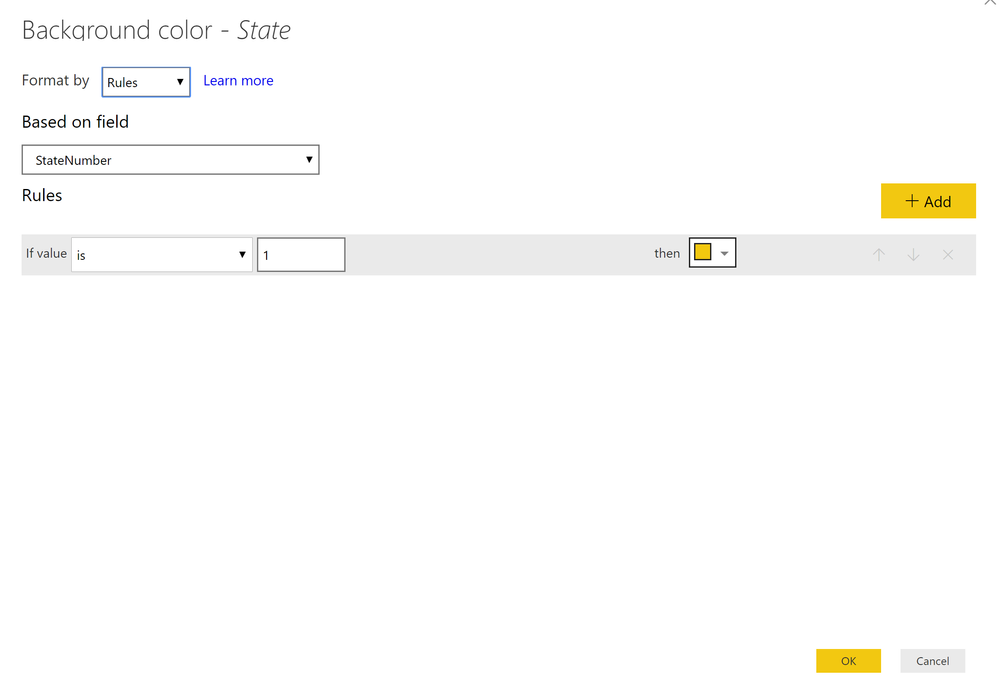
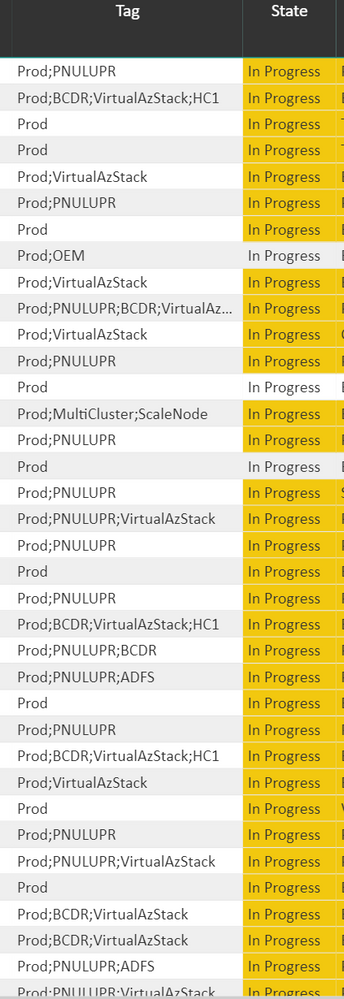
I am trying to do conditional formatting on Text Field but I see that there is no direct approach to do that. Hence, I have come across a work around to achieve the same. Please find below the DAX code I have written for the color coding:
Solved! Go to Solution.
Hi @sonam7
Check in the original dataset, if you have duplicates.
If there are duplicates, the formatting will not show.
You will have to get rid of the duplications. That can be achieved with adding a unique ID/Index to your visual, or deleting the duplicates in the import process.
Thanks!
A
Hi @sonam7
Check in the original dataset, if you have duplicates.
If there are duplicates, the formatting will not show.
You will have to get rid of the duplications. That can be achieved with adding a unique ID/Index to your visual, or deleting the duplicates in the import process.
Thanks!
A
is it possible that in the rows that are being skipped over there is extra white space after "progress" like "In Progress "?
The Power BI Data Visualization World Championships is back! Get ahead of the game and start preparing now!
| User | Count |
|---|---|
| 64 | |
| 47 | |
| 41 | |
| 36 | |
| 23 |
| User | Count |
|---|---|
| 184 | |
| 123 | |
| 106 | |
| 78 | |
| 52 |