cancel
Showing results for 
Search instead for 
Did you mean: 

We've captured the moments from FabCon & SQLCon that everyone is talking about, and we are bringing them to the community, live and on-demand. Starts on April 14th. Register now

Reply
Matthew_S
Regular Visitor

Issue Importing All Data from an Excel Column

Hi there,


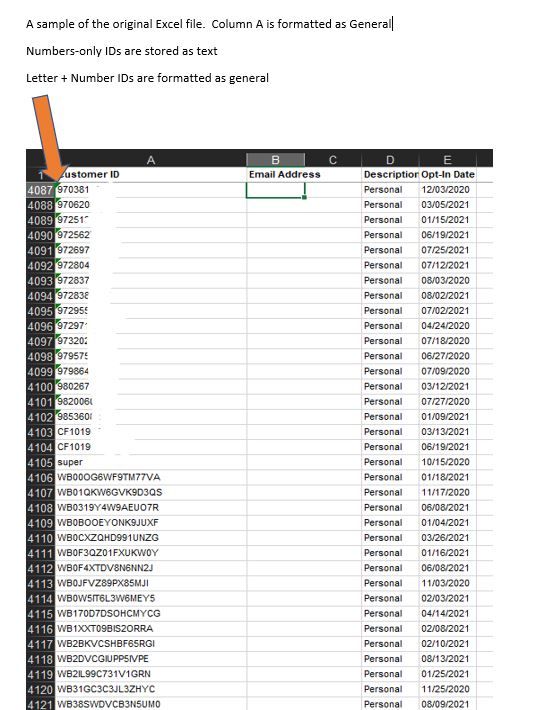
First time poster - I'm working with importing several Excel files into Power BI.  Each of them contains a CUSTOMER ID column.  Within Excel, the column is formatted as TEXT.  Within the column, there are customer IDs that are all-numbers (example: 123456) & also IDs that contain letters & numbers (example: WB123456).   After the importing & transforming the data, I'm seeing that only the all-numbers IDs were imported.


As part of the intial transform, Power BI tried to default format this column as whole-number, but I have changed it to text.  Still though, I'm not seeing that my letters & numbers IDs (example: WB123456) were imported.


How can I make sure these IDs get imported?   Is there a transform step that I'm missing?


Thanks for any insights that can be provided

3 REPLIES 3
Ashish_Mathur
Super User
Super User

Hi,

Remove the "Changed Type" step in the Applied steps pane of the Query Editor.


Regards,
Ashish Mathur
http://www.ashishmathur.com
https://www.linkedin.com/in/excelenthusiasts/
HotChilli
Community Champion
Community Champion

Welcome to the forum.

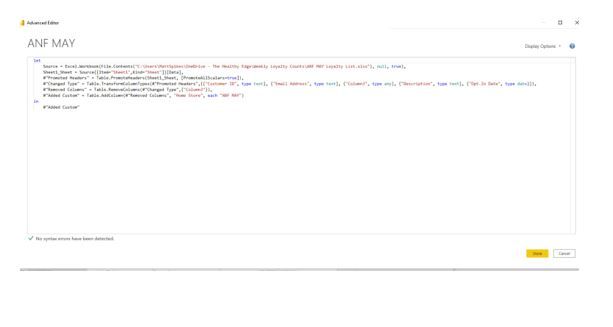
Can you post a picture of the power query screen please OR the actual code from the Advanced Editor in Power Query?


Also, do you see errors for the fields that are letters and numbers? 

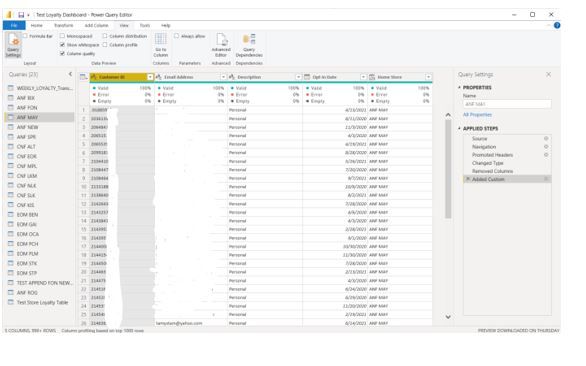
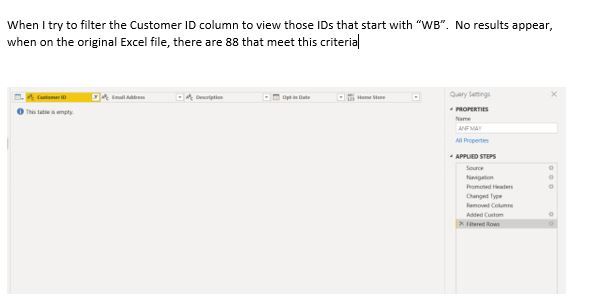
Hi there, I've posted a few screenshots, ranging from a sample of the original Excel file, to Power Query Editor & Advanced Editor.  What I'm seeing is that the IDs that are letters+numbers aren't making it into Power BI at all.  I'm wondering if the issue has to do with the way the 2 different ID types are formatted in Excel, but I haven't found a way around it yet.    Thanks for any insights you or anyone else can provide


A Sample of the Original Excel FileA Sample of the Original Excel FileViewing in Power Query EditorViewing in Power Query EditorWhen trying to filter view for Letters+Numbers IDsWhen trying to filter view for Letters+Numbers IDsAdvanced EditorAdvanced Editor

Helpful resources

Announcements
New to Fabric survey Carousel

New to Fabric Survey

If you have recently started exploring Fabric, we'd love to hear how it's going. Your feedback can help with product improvements.

Power BI DataViz World Championships carousel

Power BI DataViz World Championships - June 2026

A new Power BI DataViz World Championship is coming this June! Don't miss out on submitting your entry.

Join our Fabric User Panel

Join our Fabric User Panel

Share feedback directly with Fabric product managers, participate in targeted research studies and influence the Fabric roadmap.

March Power BI Update Carousel

Power BI Community Update - March 2026

Check out the March 2026 Power BI update to learn about new features.