Join us at FabCon Atlanta from March 16 - 20, 2026, for the ultimate Fabric, Power BI, AI and SQL community-led event. Save $200 with code FABCOMM.
Register now!The Power BI Data Visualization World Championships is back! Get ahead of the game and start preparing now! Learn more
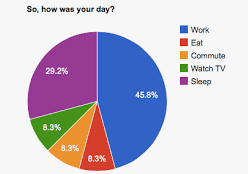
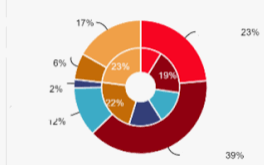
Is there a way to add these white dividing lines in pie and donut charts so that it helps to meet accessibility standards for the visually impaired like these examples?
Thank you in advance.
Solved! Go to Solution.
Hi @Tinachanis , The out of the box pie and donut charts do not have this option.
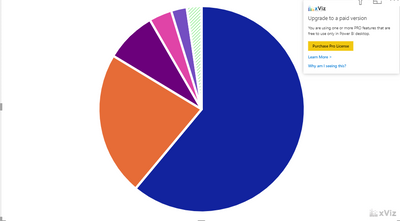
The OkViz Advance Pie and Donut chart does see below example but would require an additional license. There may be other custom visuals that also does this.
If this answer solves your problem please mark it as a solution!
Hi @Tinachanis , The out of the box pie and donut charts do not have this option.
The OkViz Advance Pie and Donut chart does see below example but would require an additional license. There may be other custom visuals that also does this.
If this answer solves your problem please mark it as a solution!
Unfortunately, we can't use the licensed options.
However, I did find Charticulator, and in the process of building my own visuals in order to meet the accessibility standards.
The Power BI Data Visualization World Championships is back! Get ahead of the game and start preparing now!
| User | Count |
|---|---|
| 39 | |
| 38 | |
| 38 | |
| 28 | |
| 27 |
| User | Count |
|---|---|
| 124 | |
| 88 | |
| 73 | |
| 66 | |
| 65 |