Hi,
I am trying to implement Incremental refresh and a bit confused about how I can use "Detect data changes". I have a fact table with a Datekey column (the date of the transaction), in addition to a UpdatedDate column (when the row is last updated). I have set the RangeEnd and RangeStart filters on Datekey, and using UpdatedDate for the "Detect data changes" option.
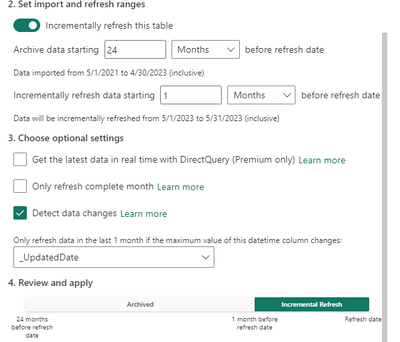
When testing this I noticed when I updated a row in the Archived data (more than 1 month), and set the UpdatedDate to the current date that is inside the Incremental Refresh period, it is not fetched and refreshed. I consider two things from this:
1. Set the incremental refresh period as long as the archived period to always fetch and refresh updated rows.
2. Change the RangeStart and RangeEnd filters to UpdatedDate instead of Datekey and don't use "Detect data changes"


