Join us at FabCon Atlanta from March 16 - 20, 2026, for the ultimate Fabric, Power BI, AI and SQL community-led event. Save $200 with code FABCOMM.
Register now!The Power BI Data Visualization World Championships is back! Get ahead of the game and start preparing now! Learn more
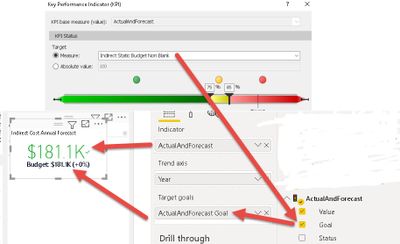
I have a measure that displays ActualsAndForecast (with value of $181.K). I have another measure called Budget which also has a vlue of 181.1K. When I create a KPI on ActualsAndForecast and select Budget as Target with <75% as green, Between 75% - 85% as Yellow and over 85% as Red. For some reason the KPI color still comes up as green when both ActualsAndForecast & Budget have the same value of $181.1K. I expected the color to be red unless I'm reading it wrong.
Solved! Go to Solution.
Hi @Anonymous ,
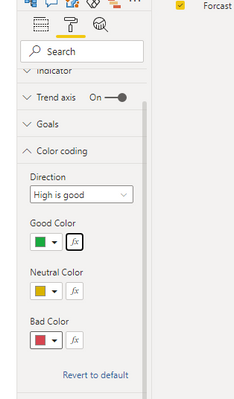
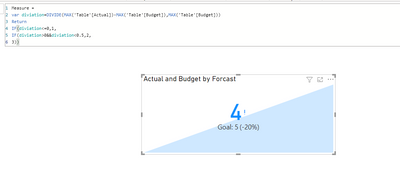
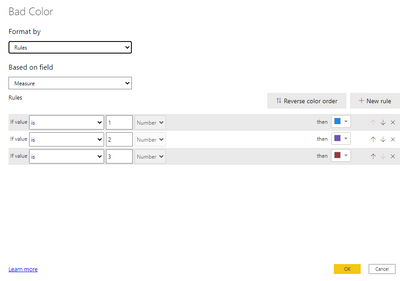
The Red,Yellow and Green indicator is color codings for direction,you can change the color showing based on color formatting per your request,see below:
For reference,see below:
https://docs.microsoft.com/en-us/power-bi/visuals/power-bi-visualization-kpi
For my sample .pbix file,see attached.
Best Regards,
Kelly
Did I answer your question? Mark my post as a solution!
have you checked the number and all its decimals explicityly? what is the explicit number rather than looking at it with a K format (ie thousands)
Proud to be a Super User!
Hi @vanessafvg
Maybe I'm reading the KPI wrong. The Red, Yellow and Green indicator is for "Status" and not necessarily for the acutal text that displays in Red/Green. Is that correct?
Hi @Anonymous ,
The Red,Yellow and Green indicator is color codings for direction,you can change the color showing based on color formatting per your request,see below:
For reference,see below:
https://docs.microsoft.com/en-us/power-bi/visuals/power-bi-visualization-kpi
For my sample .pbix file,see attached.
Best Regards,
Kelly
Did I answer your question? Mark my post as a solution!
Hi @vanessafvg
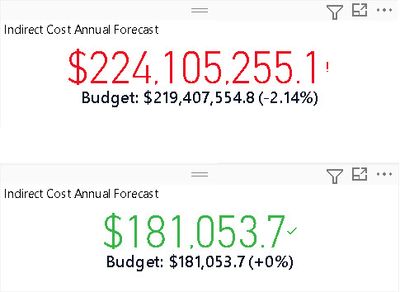
See attached pic with full numerical value. One in Red is unfiltered data and the one in green is set for a particular division. Again, I can't understand why the one in green does not display in red since Actual and Budget are same.
The Power BI Data Visualization World Championships is back! Get ahead of the game and start preparing now!
Check out the November 2025 Power BI update to learn about new features.
| User | Count |
|---|---|
| 59 | |
| 43 | |
| 42 | |
| 23 | |
| 17 |
| User | Count |
|---|---|
| 190 | |
| 122 | |
| 96 | |
| 66 | |
| 47 |