cancel
Showing results for 
Search instead for 
Did you mean: 

Vote for your favorite vizzies from the Power BI Dataviz World Championship submissions. Vote now!

Reply
hariram2
Helper I
Helper I

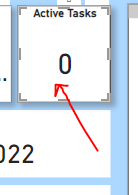
In my power Bi report in card visual it is showing(Blank) ,I should replace that (Blank ) to 0.

Hi ,


I am creating a report from azure devops.


For active tasks i have created a card, but it is showing (Blank)


Now for me it should show "o" instead od (Blank)


Plesae suggest anyone??


hariram2_0-1656954203136.png


1 ACCEPTED SOLUTION

Hi,


i got a solution.


thank you for the help


hariram2_3-1657180392958.png


View solution in original post

5 REPLIES 5
hariram2
Helper I
Helper I

Thanks for the replay


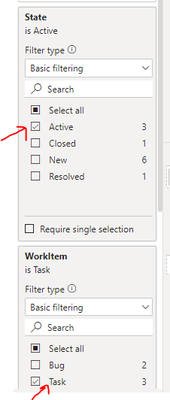
here my table name is append,in that having workitem,state


in that workitem having(task,bug)

also state having(active,inprogress)


so here i need to get active tasks 


plz help

Hi @hariram2 ,


I create the sample data.


vkkfmsft_0-1657174711727.png


Then please create the measure.


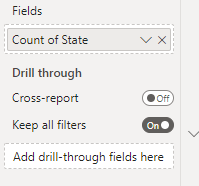
Measure = 
COALESCE (
    COUNTROWS (
        FILTER ( 'Table', 'Table'[state] = "active" && 'Table'[workitem] = "task" )
    ),
    0
)

vkkfmsft_1-1657174756142.png


If the problem is still not resolved, please provide detailed error information or the expected result you expect. Let me know immediately, looking forward to your reply.
Best Regards,
Winniz
If this post helps, then please consider Accept it as the solution to help the other members find it more quickly.


Hi,


Thanks for your help.


That measure is working for me


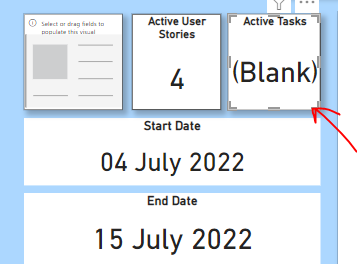
But issue is now if no taks is not there means showing Blank


But for me it could show '0" instead of blank


hariram2_0-1657179041419.png


hariram2_1-1657179087421.pnghariram2_2-1657179112076.png


Hi,


i got a solution.


thank you for the help


hariram2_3-1657180392958.png


ITManuel
Responsive Resident
Responsive Resident

Hi @hariram2 ,


please try 


IF ( ISBLANK ( "Active Task measure/logic"), "o")


Best regards

Helpful resources

Announcements
Power BI DataViz World Championships

Power BI Dataviz World Championships

Vote for your favorite vizzies from the Power BI World Championship submissions!

Sticker Challenge 2026 Carousel

Join our Community Sticker Challenge 2026

If you love stickers, then you will definitely want to check out our Community Sticker Challenge!

January Power BI Update Carousel

Power BI Monthly Update - January 2026

Check out the January 2026 Power BI update to learn about new features.

FabCon Atlanta 2026 carousel

FabCon Atlanta 2026

Join us at FabCon Atlanta, March 16-20, for the ultimate Fabric, Power BI, AI and SQL community-led event. Save $200 with code FABCOMM.