Join us at FabCon Atlanta from March 16 - 20, 2026, for the ultimate Fabric, Power BI, AI and SQL community-led event. Save $200 with code FABCOMM.
Register now!View all the Fabric Data Days sessions on demand. View schedule
Hi guys,
I'm trying to make a POC using FetchRSS website.
I'm adding pages to read the RSS and, for each, it gives me an URL with a XML file, like:
http://fetchrss.com/rss/5df10eed8a93f812478ba93f878438b4567.xml
This is to read a profile from Instagram.
I want to extract more than one XML (read more profiles) and join all in a big transformation in PowerBI, once.
It has has the same structure, but I might add or remove something for time to time.
Any ideas?
Thanks!
Solved! Go to Solution.
Hi @efilipe ,
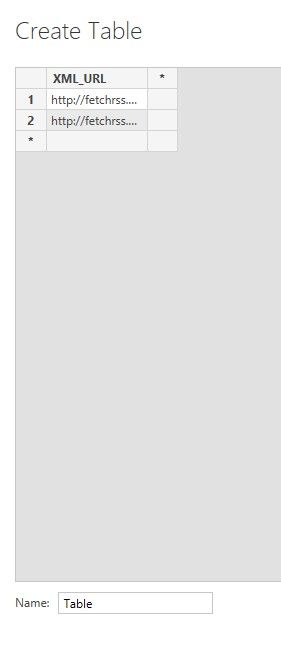
First of all, we need to create a table to store all the URL of xml, we can also get them from SQL or Excel.
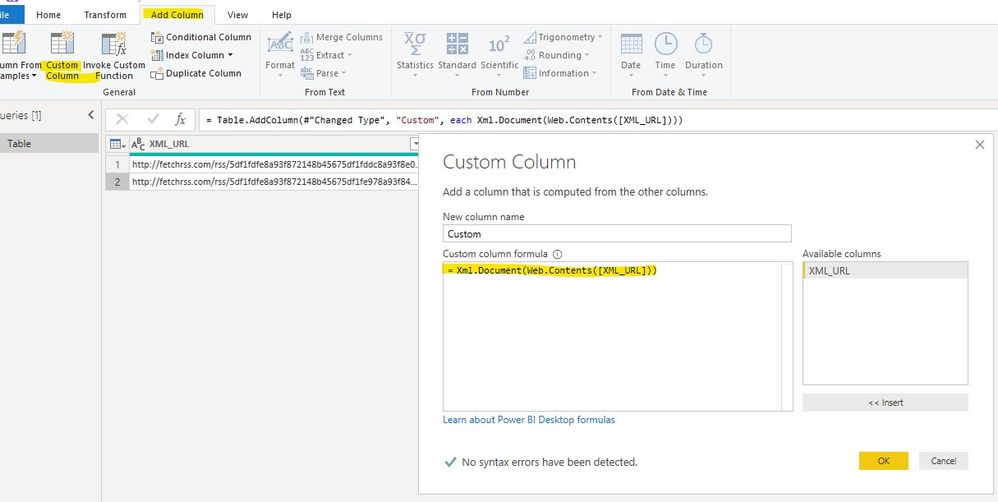
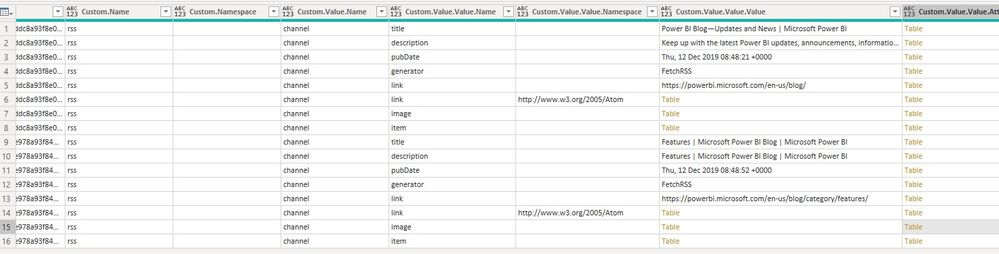
Then we can add a custom column to get content from all the URL.
Xml.Document(Web.Contents([XML_URL]))
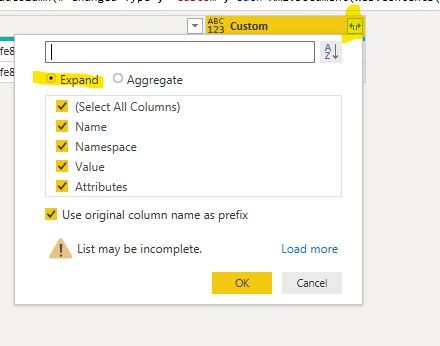
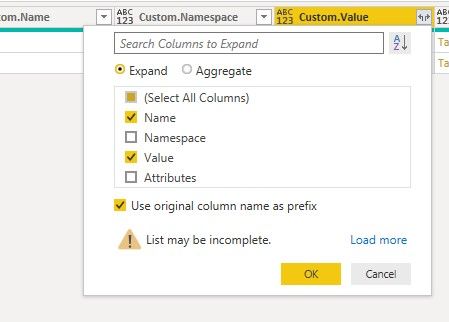
Finally we can expand the content of this new column to get what we want.
Sorry for that we cannot share all the quiers.
Best regards,
Hi @efilipe ,
How about the result after you follow the suggestions mentioned in my original post?Could you please provide more details about it If it doesn't meet your requirement?
Best regards,
Hi @efilipe ,
First of all, we need to create a table to store all the URL of xml, we can also get them from SQL or Excel.
Then we can add a custom column to get content from all the URL.
Xml.Document(Web.Contents([XML_URL]))
Finally we can expand the content of this new column to get what we want.
Sorry for that we cannot share all the quiers.
Best regards,
Check out the November 2025 Power BI update to learn about new features.
Advance your Data & AI career with 50 days of live learning, contests, hands-on challenges, study groups & certifications and more!