
This time we’re going bigger than ever. Fabric, Power BI, SQL, AI and more. We're covering it all. You won't want to miss it.
Learn moreLevel up your Power BI skills this month - build one visual each week and tell better stories with data! Get started
Hello,
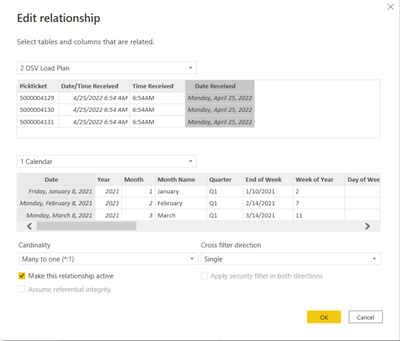
I have a relationship between a DateDim table (Import) to a OrderFact table (Direct Query).
I'm then calculating the amount of time between two dates, excluding weekends. Calculated column below with error message:
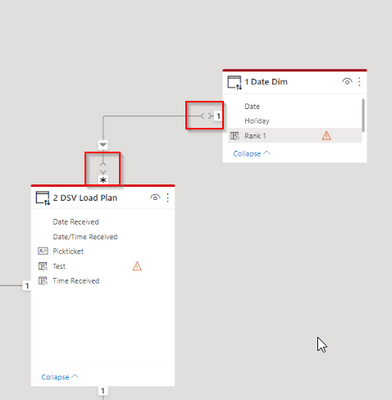
It seems as if there is an issue with the relationship so I went and looked to find this:
I've never seen that type of annotation before for relationships. Without knowing what the opposing carrots mean, I cannot really figure out a resolution.
In addition, to double check on the relationship, I created a table with all of the date fields, which all worked and lined up correctly. For some reason, I cannot enact the calculated column though. I either get the error above, or I get "Calculate is not a function" and that there is no relationshiop between the date columns.
I'm at a total stopping point, any help is appreciated.
Thanks!
Solved! Go to Solution.
@Anonymous,
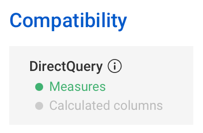
Numerous DAX functions are not available in calculated columns when using DirectQuery. Examples include CALCULATE and DATESBETWEEN. As far as the caret symbols in the relationship, it's my understanding that this is the notation when joining an Import table to a DirectQuery table.
Proud to be a Super User!
@Anonymous,
Numerous DAX functions are not available in calculated columns when using DirectQuery. Examples include CALCULATE and DATESBETWEEN. As far as the caret symbols in the relationship, it's my understanding that this is the notation when joining an Import table to a DirectQuery table.
Proud to be a Super User!
Check out the April 2026 Power BI update to learn about new features.
Sign up to receive a private message when registration opens and key events begin.
If you have recently started exploring Fabric, we'd love to hear how it's going. Your feedback can help with product improvements.
| User | Count |
|---|---|
| 36 | |
| 33 | |
| 31 | |
| 24 | |
| 18 |
| User | Count |
|---|---|
| 68 | |
| 50 | |
| 33 | |
| 24 | |
| 24 |