cancel
Showing results for 
Search instead for 
Did you mean: 

Learn from the best! Meet the four finalists headed to the FINALS of the Power BI Dataviz World Championships! Register now

Reply
CTan42
Helper II
Helper II

If function

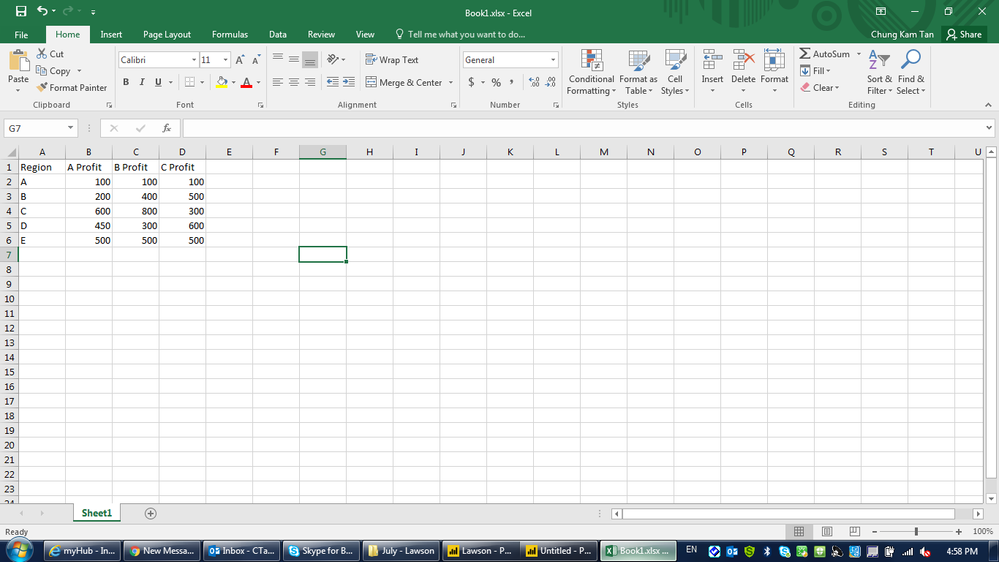
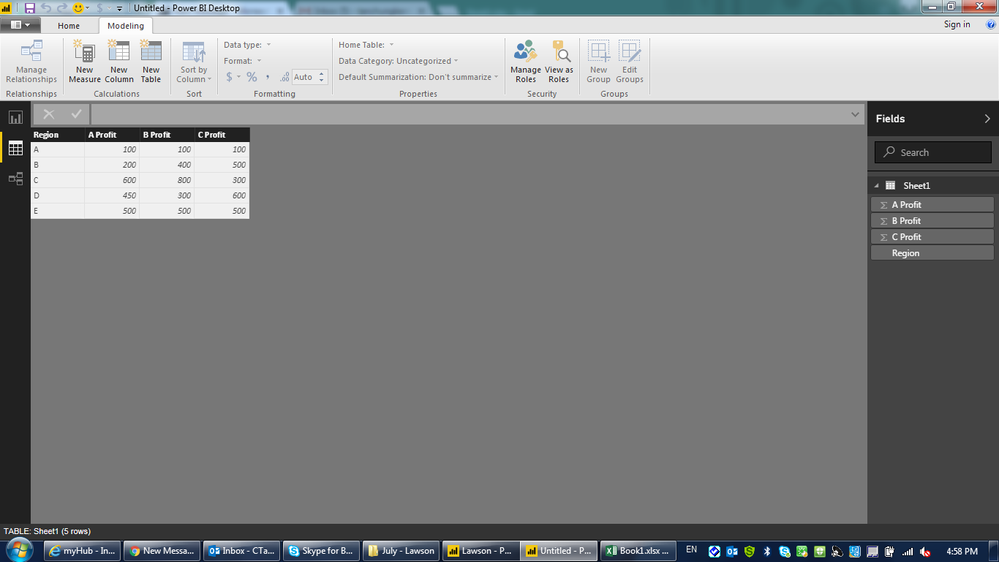
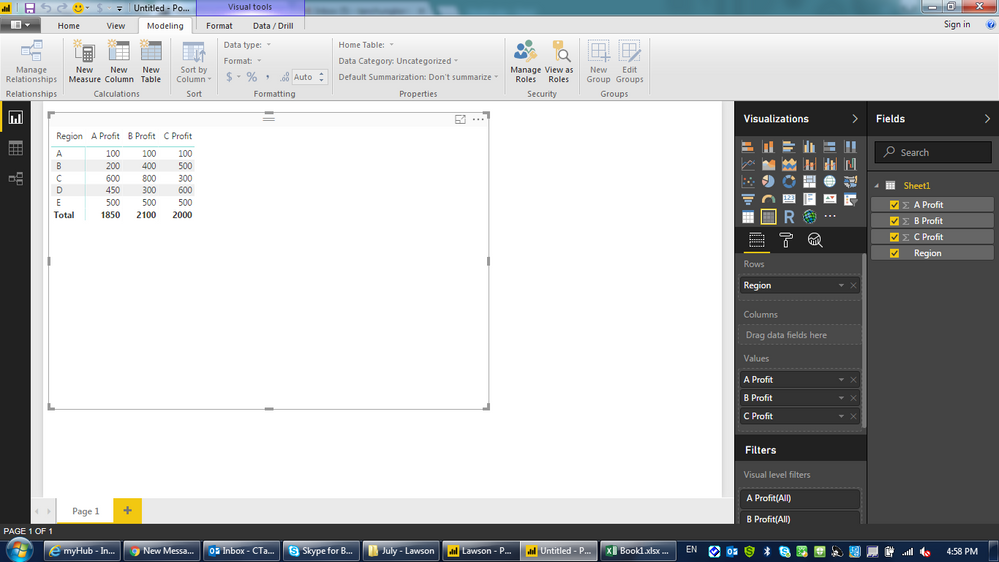
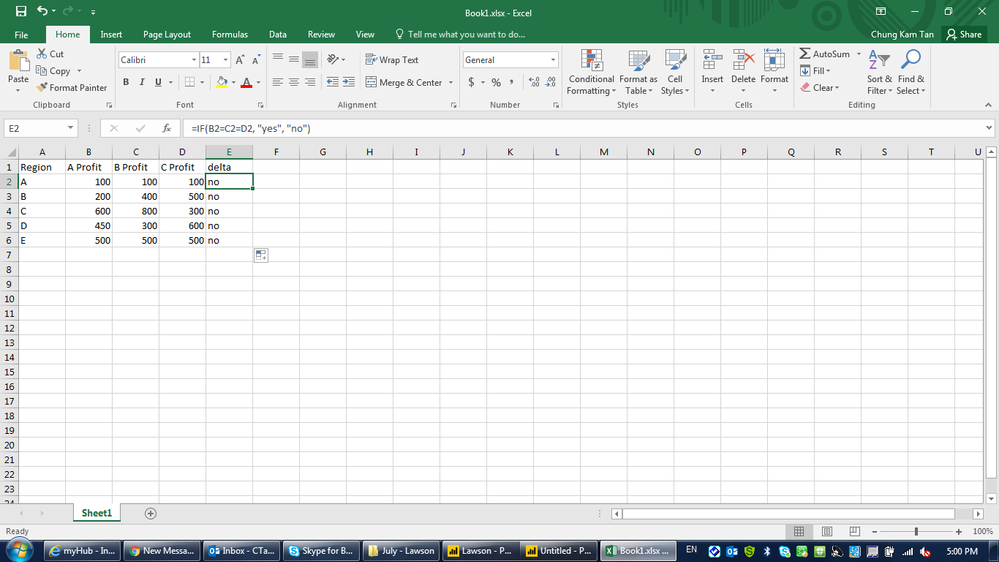
Hi belows are my screenshot of dataset. I have to create a column/measure to show whether the numbers are matching anot. I was thinking about using if function in power bi. This formula just come across on my mind - delta = if( A profit = B profit C profit, "Match", "Not Match").  However it doesnt work. Is there anyway to do it?excel dataexcel datapower bipower bimatrix tablematrix tablesomething like this...however it goes wrongsomething like this...however it goes wrong

1 ACCEPTED SOLUTION
MFelix
Super User
Super User

Hi @CTan42,


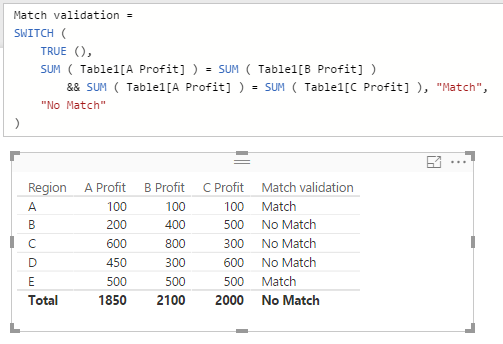
Even in Excel you cannot do it in a single run as you show in your prints, in term of PBI I prefer to use the SWITCH function that is much more powerfull than the IF because you can concatenate several IF in one row use this measure:


Match validation =
SWITCH (
    TRUE (),
    SUM ( Table1[A Profit] ) = SUM ( Table1[B Profit] )
        && SUM ( Table1[A Profit] ) = SUM ( Table1[C Profit] ), "Match",
    "No Match"
)

The result is below:


match.png


Regards,

MFelix


Regards

Miguel Félix


Did I answer your question? Mark my post as a solution!

Proud to be a Super User!

Check out my blog: Power BI em Português


View solution in original post

2 REPLIES 2
MFelix
Super User
Super User

Hi @CTan42,


Even in Excel you cannot do it in a single run as you show in your prints, in term of PBI I prefer to use the SWITCH function that is much more powerfull than the IF because you can concatenate several IF in one row use this measure:


Match validation =
SWITCH (
    TRUE (),
    SUM ( Table1[A Profit] ) = SUM ( Table1[B Profit] )
        && SUM ( Table1[A Profit] ) = SUM ( Table1[C Profit] ), "Match",
    "No Match"
)

The result is below:


match.png


Regards,

MFelix


Regards

Miguel Félix


Did I answer your question? Mark my post as a solution!

Proud to be a Super User!

Check out my blog: Power BI em Português


@MFelix It works!!! Thanks for your help and guide. 

Helpful resources

Announcements
Join our Fabric User Panel

Join our Fabric User Panel

Share feedback directly with Fabric product managers, participate in targeted research studies and influence the Fabric roadmap.

March Power BI Update Carousel

Power BI Community Update - March 2026

Check out the March 2026 Power BI update to learn about new features.