Join us at FabCon Atlanta from March 16 - 20, 2026, for the ultimate Fabric, Power BI, AI and SQL community-led event. Save $200 with code FABCOMM.
Register now!The Power BI Data Visualization World Championships is back! Get ahead of the game and start preparing now! Learn more
Hello
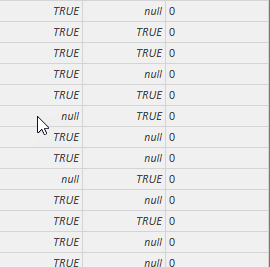
Im trying to set up an IF formula in a costum column to see witch columns have True on the same row
if [NI] = "TRUE" and [DT] = "TRUE" then "1" else "0"
I dont get any errors but i just dosent do the job
Solved! Go to Solution.
It is True/Fals datatype and that was the problem
I just figured out that if i removed the ( " ) it worked, so:
= if [NI] = true and [DT] = true then "1" else "0"
Worked like a charm.
Ty very mutch for answering tho Ruksuro 😉
Hi,
Assuming you have this stored as a True/False datatype your code should read:
Test = if(and(Sheet1[ColumnA]=TRUE,Sheet1[ColumnB]=TRUE),1,0)
The "TRUE" you've used is a string (because of the quotes), not TRUE. I've just tested and this doesn't work.
If your data type is actually a string, use:
Test = if(and(Sheet1[ColumnA]="TRUE",Sheet1[ColumnB]="TRUE"),1,0)
Hope that helps!
It is True/Fals datatype and that was the problem
I just figured out that if i removed the ( " ) it worked, so:
= if [NI] = true and [DT] = true then "1" else "0"
Worked like a charm.
Ty very mutch for answering tho Ruksuro 😉
The Power BI Data Visualization World Championships is back! Get ahead of the game and start preparing now!
| User | Count |
|---|---|
| 53 | |
| 42 | |
| 34 | |
| 33 | |
| 21 |
| User | Count |
|---|---|
| 143 | |
| 125 | |
| 100 | |
| 80 | |
| 59 |