Join us at FabCon Atlanta from March 16 - 20, 2026, for the ultimate Fabric, Power BI, AI and SQL community-led event. Save $200 with code FABCOMM.
Register now!The Power BI Data Visualization World Championships is back! Get ahead of the game and start preparing now! Learn more
Hi,
I am using Power BI to plot my research data on a map,
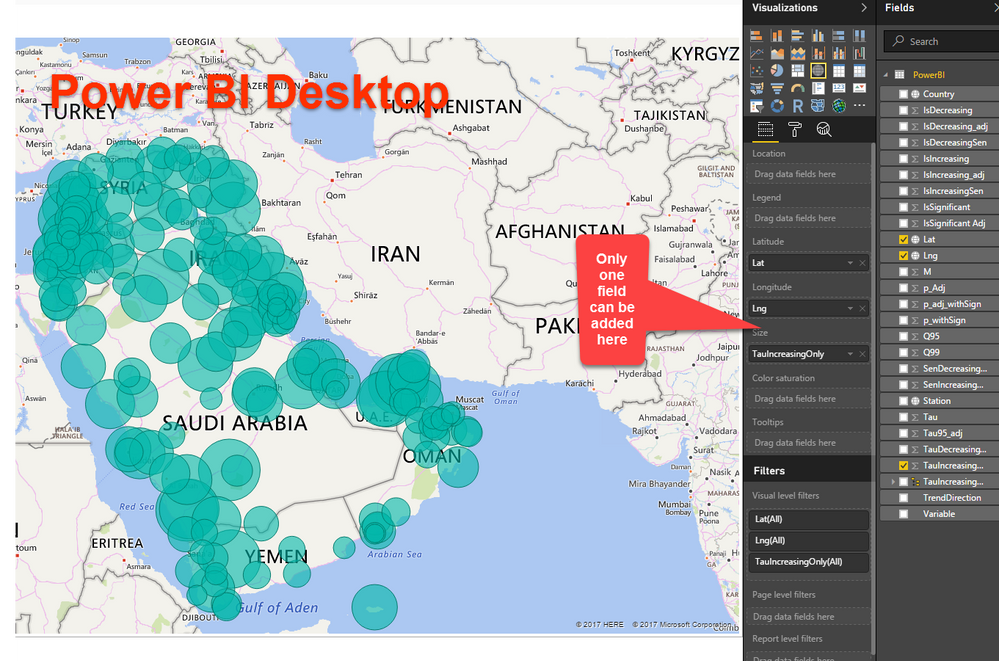
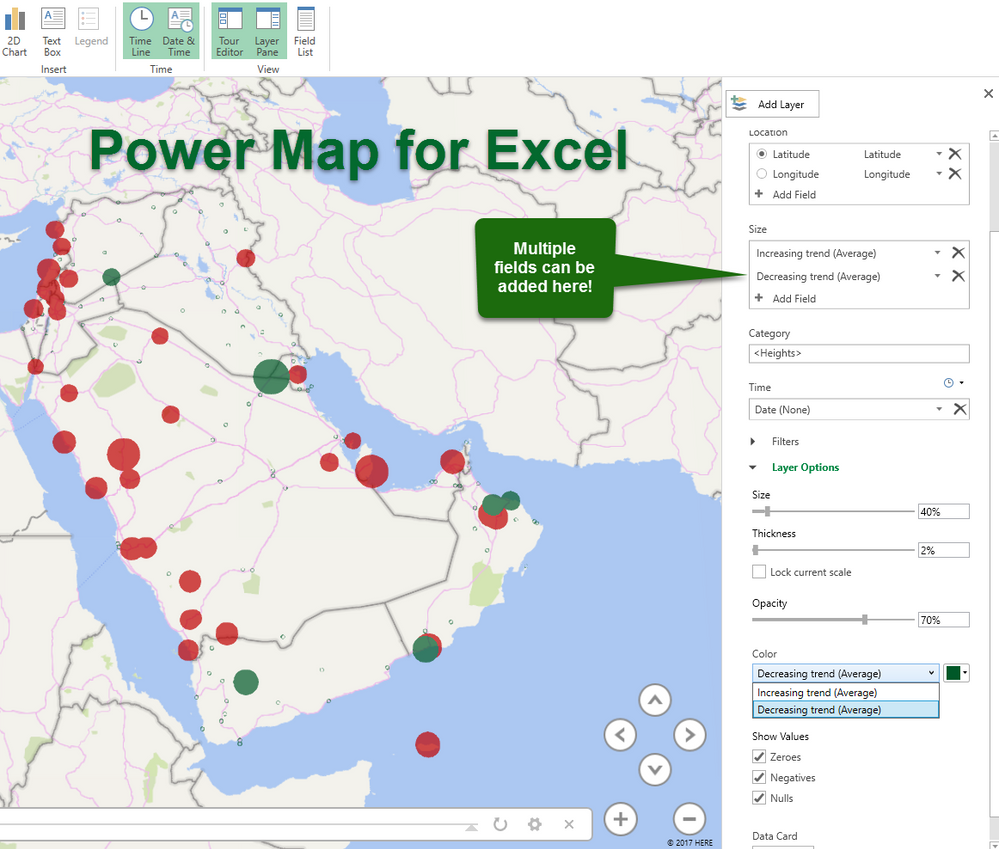
I was surprised that I can not plot more than one feature in a map (Either normal maps or ESRI maps), while I can do this easily in Power Map for Excel! Please see the attached photos
Is there a way to do the same in PowerBI like Excel?
Power BI map
Power Map for Excel
same issue with me until now the feature not added
Hi @DrNesr,
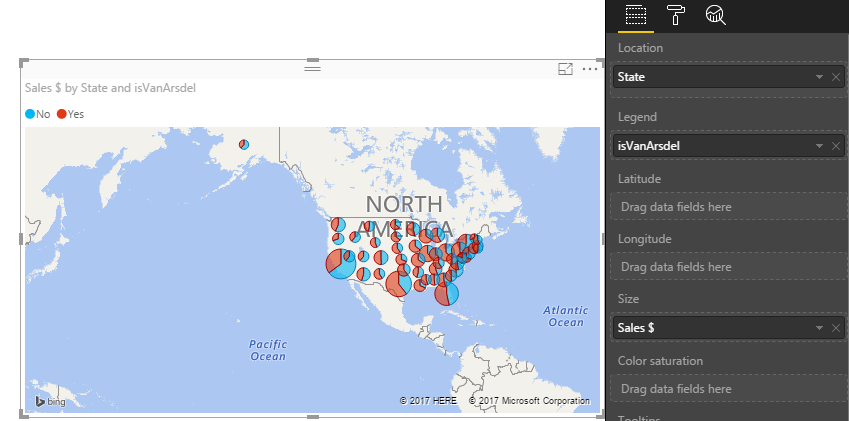
Power BI map visual is different from the Power Map. In Power BI map visual, Location or Latitude and Longitude are used to locate position. Both Latitude and Longitude properties can only have one column field. To category the bubble, we can place a column field in Legend property. But we can only add the one column field in the Size property. For more information, see: Tips and Tricks for Power BI Map visualizations.
Map visual doesn't render the data in the same behavior as the Power Map. In your scenario, please try to add column in the Legend property to see if it meet your requirement. If not, I'm afraid you have to create two different map visuals.
Best Regards,
Qiuyun Yu
Many thanks for your reply, and I hope this feature to be added in the future development of Power BI.
Check out the November 2025 Power BI update to learn about new features.
Advance your Data & AI career with 50 days of live learning, contests, hands-on challenges, study groups & certifications and more!
| User | Count |
|---|---|
| 58 | |
| 45 | |
| 41 | |
| 21 | |
| 18 |