cancel
Showing results for 
Search instead for 
Did you mean: 

The Power BI Data Visualization World Championships is back! Get ahead of the game and start preparing now! Learn more

Reply
Anonymous
Not applicable

How to let filter/slicer respond to drillthrough actions?

Hi all,


For a Power BI report I am using both filters/slicers and a pie-chart with drillthrough capability. My question is this: is there a way to let the filters respond to the drillthrough actions so that the user knows which drillthrough actions he previously made?


I am using a pie-chart with 8 legend fields, so a user can perform 8 consecutive drillthrough clicks (and so it is easy to get lost). Therefore I want to have my filters/slicers at the top of the report also sync with the drillthrough clicks, so that for instance my customer filter will select this particular customer instead of showing 'All'. Is this possible, and if so how?


Any help is greatly appreciated!


1 ACCEPTED SOLUTION

Hi @Anonymous ,


I recommend to use table visual to work around instead of slicer.


3.PNG


Community Support Team _ Frank
If this post helps, then please consider Accept it as the solution to help the others find it more quickly.

View solution in original post

4 REPLIES 4
v-frfei-msft
Community Support
Community Support

Hi @Anonymous ,


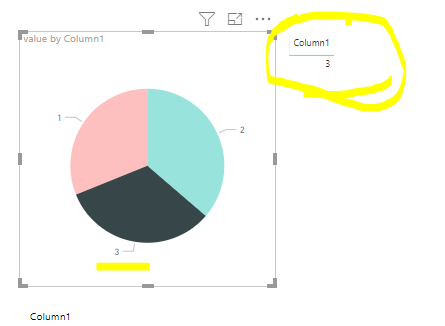
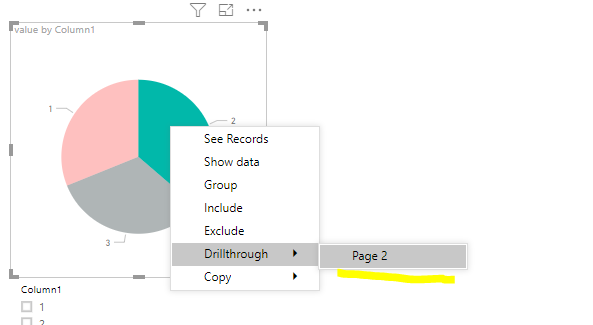
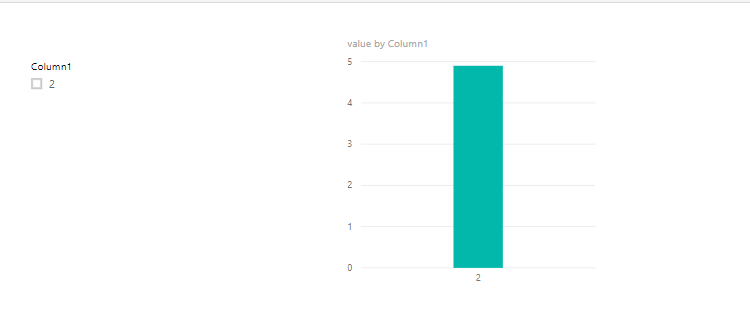
One sample for your reference. We can add a slicer in the drillthourgh page, then we can achieve that. If it doesn't meet your requirement, kindly share your sample data and excepted result to me. Please upload your files to One Drive and share the link here.

1.PNG


2.PNG

Pbix as attached.


Community Support Team _ Frank
If this post helps, then please consider Accept it as the solution to help the others find it more quickly.
Anonymous
Not applicable

Hi @v-frfei-msft,


Thanks for the reply and help. To clarify a bit more, I want my drillthrough and slicers to behave accordingly:

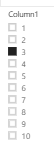
- When I click on the slicer and select for instance column 3 all the other graphs respond to that, showing only values for column 3.

- What I want is to have this work the other way around as well: so that when I click on one of the parts of the pie-chart, the corresponding checkbox in the slicer gets selected as well and it looks like this:

 image.pngimage.png

Hi @Anonymous ,


I recommend to use table visual to work around instead of slicer.


3.PNG


Community Support Team _ Frank
If this post helps, then please consider Accept it as the solution to help the others find it more quickly.
Anonymous
Not applicable

Not sure why this is marked as a solution. This does not solve the use case stated here from Anonymous.

Helpful resources

Announcements
Power BI DataViz World Championships

Power BI Dataviz World Championships

The Power BI Data Visualization World Championships is back! Get ahead of the game and start preparing now!

November Power BI Update Carousel

Power BI Monthly Update - November 2025

Check out the November 2025 Power BI update to learn about new features.

FabCon Atlanta 2026 carousel

FabCon Atlanta 2026

Join us at FabCon Atlanta, March 16-20, for the ultimate Fabric, Power BI, AI and SQL community-led event. Save $200 with code FABCOMM.