Share feedback directly with Fabric product managers, participate in targeted research studies and influence the Fabric roadmap.
Sign up nowGet Fabric certified for FREE! Don't miss your chance! Learn more
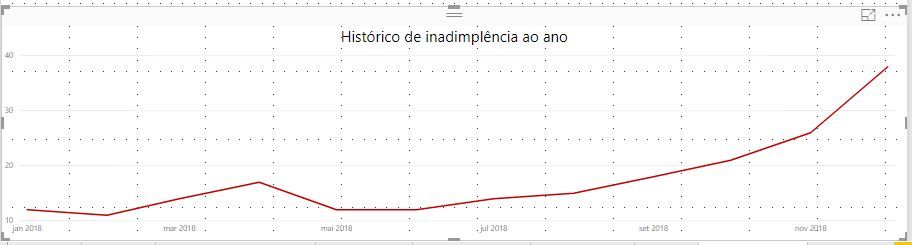
I have this report:
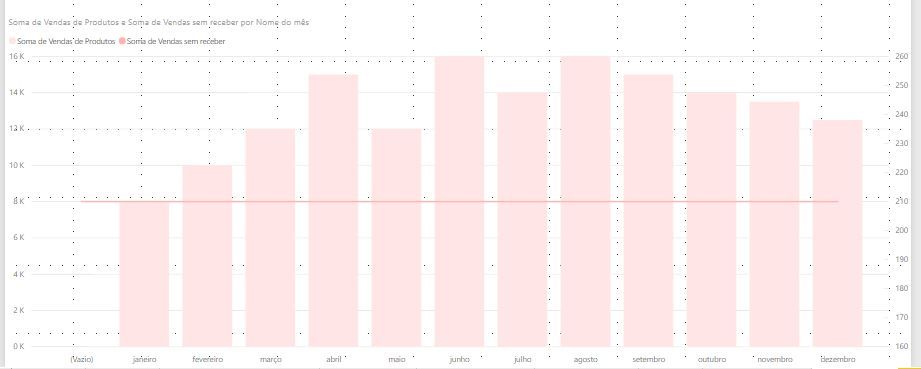
And I want to join on this report, as you see, the red line on this below is constant, is adding the value:
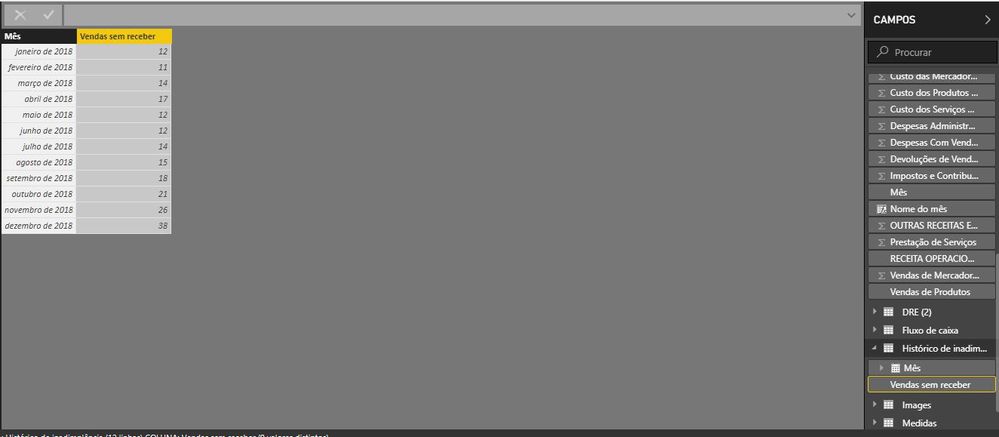
The "red line" data is this:
And the bars report is:
Maybe the column Mês (Month) and Nome do mês (Name of the month) is causing the trouble, but I've tried several combinations and no success.
Solved! Go to Solution.
Hi,
If your "date" is linked to a "date table" you should be able to show both sets of data on the same visual.
You can create a date table using Calendar() function.
This is done using the bar line visual available out of the box.
Using this visual will give you 3* axis.
Hope this helps,
Jay
Hi,
If your "date" is linked to a "date table" you should be able to show both sets of data on the same visual.
You can create a date table using Calendar() function.
This is done using the bar line visual available out of the box.
Using this visual will give you 3* axis.
Hope this helps,
Jay
is there a relationship between two ytables on any primary key?
I forgot
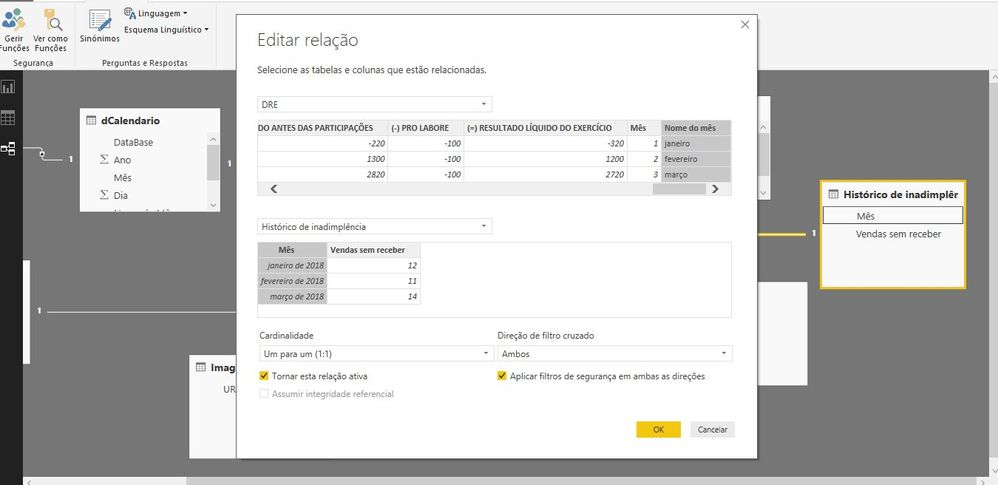
I build this, but is not working, I hope you understand portuguese ehhehe...
Maybe the problem is the column name? Or data inside?
Should be the same column name, and the same data?
For example Column = Month nd data: january, february...
Share feedback directly with Fabric product managers, participate in targeted research studies and influence the Fabric roadmap.
| User | Count |
|---|---|
| 63 | |
| 62 | |
| 42 | |
| 19 | |
| 16 |
| User | Count |
|---|---|
| 113 | |
| 105 | |
| 36 | |
| 28 | |
| 28 |