Join us at FabCon Atlanta from March 16 - 20, 2026, for the ultimate Fabric, Power BI, AI and SQL community-led event. Save $200 with code FABCOMM.
Register now!Get Fabric Certified for FREE during Fabric Data Days. Don't miss your chance! Request now
@Anonymous , one way is to have a measure like
Measure = sumx(filter(AR,Datediff([AR Invoice Date],today(),day) >30 ),[A/R amount include GST in LC])
That will show only the overdue amount. File Attached.
@Anonymous , one way is to have a measure like
Measure = sumx(filter(AR,Datediff([AR Invoice Date],today(),day) >30 ),[A/R amount include GST in LC])
That will show only the overdue amount. File Attached.
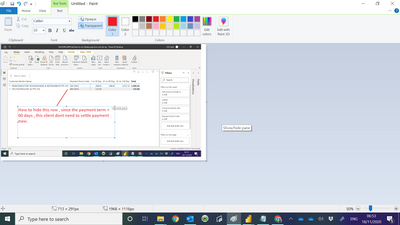
This is what I am looking for
@Anonymous
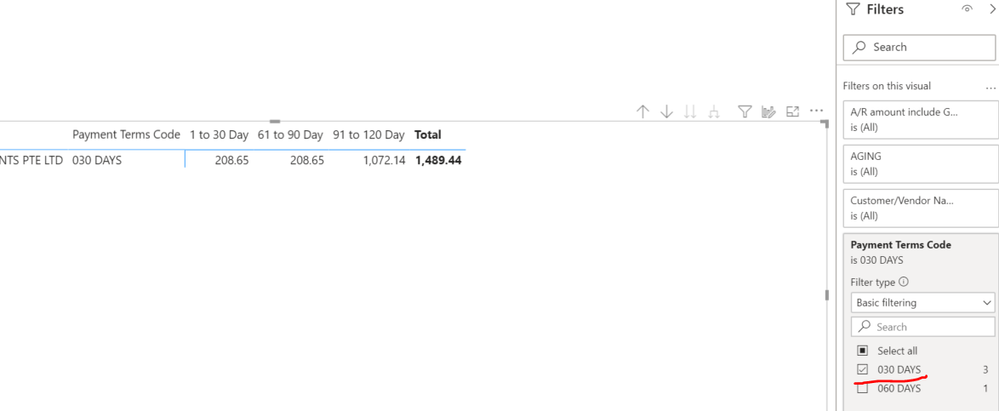
just like what @collinq sugggested. you can only select 030 DAYS in hte Filters.
Proud to be a Super User!
Hi @Anonymous ,
I think that the easiest way would be to add into the filter a "greater than 30" on that field so only items greater than 30 will appear.
I would appreciate Kudos if my response was helpful. I would also appreciate it if you would Mark this As a Solution if it solved the problem. Thanks!
Proud to be a Datanaut!
Private message me for consulting or training needs.
Check out the November 2025 Power BI update to learn about new features.
Advance your Data & AI career with 50 days of live learning, contests, hands-on challenges, study groups & certifications and more!