Join us at FabCon Atlanta from March 16 - 20, 2026, for the ultimate Fabric, Power BI, AI and SQL community-led event. Save $200 with code FABCOMM.
Register now!Get Fabric Certified for FREE during Fabric Data Days. Don't miss your chance! Request now
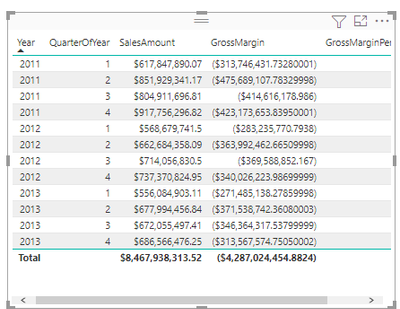
Hi my current data looks like this after following your suggestio
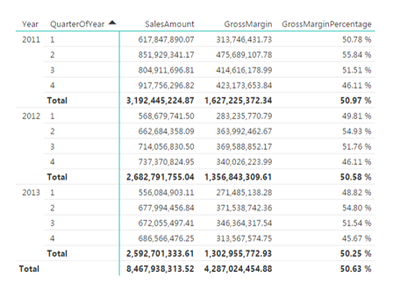
How can I make it look like my target data?
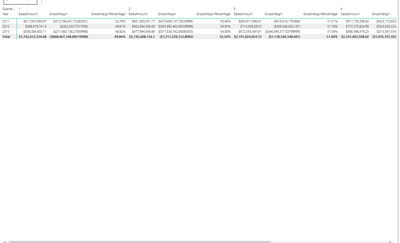
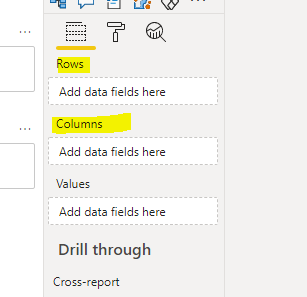
You need to move the Quarter dimension from column to row:
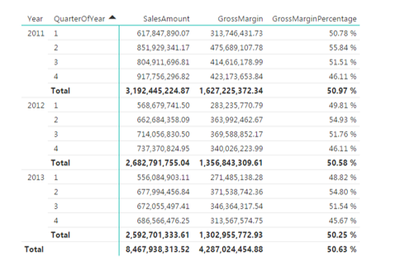
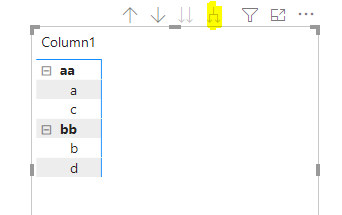
Then expand the row dimension down to quarter level:
Br,
J
Hi,
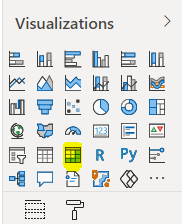
You're using the table visual. Swap to the Matrix and you should get the desired output:
Br,
J
Hi my current data looks like this after following your suggestio
How can I make it look like my target data?
You need to move the Quarter dimension from column to row:
Then expand the row dimension down to quarter level:
Br,
J
Check out the November 2025 Power BI update to learn about new features.
Advance your Data & AI career with 50 days of live learning, contests, hands-on challenges, study groups & certifications and more!