cancel
Showing results for 
Search instead for 
Did you mean: 

The Power BI Data Visualization World Championships is back! Get ahead of the game and start preparing now! Learn more

Reply
KerwenZhang
Frequent Visitor

How to display multiple variables in one chart

Hi I'm a beginner of Power BI. I try to display some general information of one product:

Code Analysis50%
Build Rate90%
BAT Rate20%
Other150%

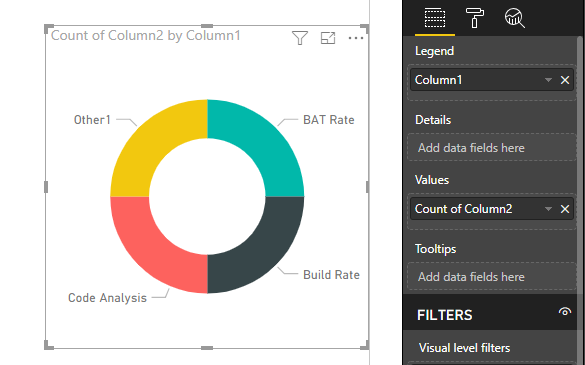
Could I dispaly them in one chart? I try to use Donut Chart, but the display is not what I expected. Every area should keep same size. Is there any other control chart I can use? Thanks!

2 REPLIES 2
v-yuta-msft
Community Support
Community Support

@KerwenZhang ,


You can change the aggregation type from sum to count and then create a custom tooltip page link to the current page.

Capture.PNG  


Community Support Team _ Jimmy Tao

If this post helps, then please consider Accept it as the solution to help the other members find it more quickly.

@v-yuta-msft Thanks, after I change the aggregation type from sum to count, how to display the actual data in label?

donut1.png

Helpful resources

Announcements
November Power BI Update Carousel

Power BI Monthly Update - November 2025

Check out the November 2025 Power BI update to learn about new features.

Fabric Data Days Carousel

Fabric Data Days

Advance your Data & AI career with 50 days of live learning, contests, hands-on challenges, study groups & certifications and more!

FabCon Atlanta 2026 carousel

FabCon Atlanta 2026

Join us at FabCon Atlanta, March 16-20, for the ultimate Fabric, Power BI, AI and SQL community-led event. Save $200 with code FABCOMM.

Top Solution Authors
Top Kudoed Authors