cancel
Showing results for 
Search instead for 
Did you mean: 

The Power BI Data Visualization World Championships is back! Get ahead of the game and start preparing now! Learn more

Reply
harib
Post Patron
Post Patron

How to display KPI Indicator only

Hello All,


I would like to display all the alarm descriptions symbol only (Not text) 


I have followed the below steps


1. source :  https://drive.google.com/file/d/1iG9B-fHxD2oGLb3T8VRfu7uTMwFky_xy/view?usp=sharing


2. Then i created KPI Table

                       Status_code    Symbol

                       0                     https://cdn3.iconfinder.com/data/icons/softwaredemo/PNG/24x24/Circle_Green.png 

                       1                     https://cdn3.iconfinder.com/data/icons/softwaredemo/PNG/24x24/Circle_Red.png


3.  created calculated column : KPICON = IF(VW_WVM_Symbiotic_Machine_Error_Alerts[Status_Code]>=1,"1","0")
 
4. Given the relationshsips between  KPICON with KPI table (Status_code)
 
5. output came like below image. so far it's good. 
 
but i would like to show individual symbols of all alarm descriptions like 2nd image
 

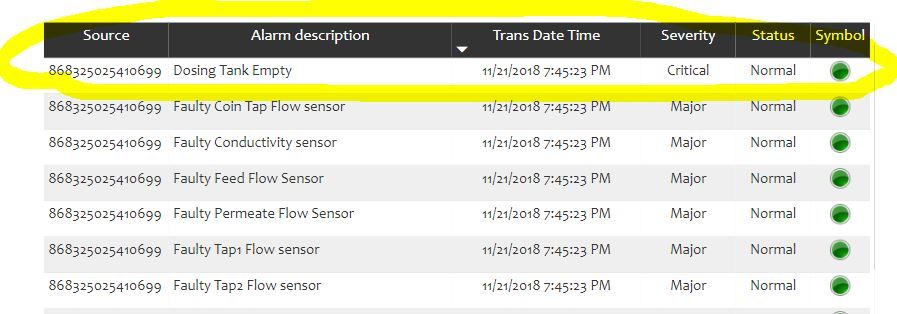
My table is like below image :

Capture.JPG


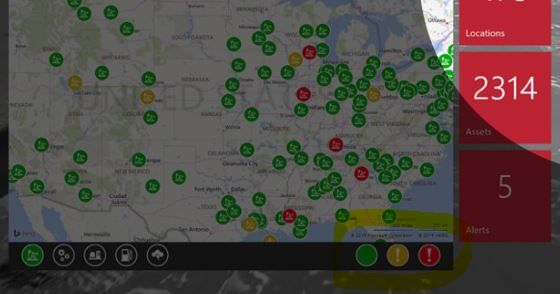
Out put should be like below


Capture2.JPG

Appriciate if any one can help


Thanks


1 REPLY 1
v-yulgu-msft
Microsoft Employee
Microsoft Employee

Hi @harib,


According to my understanding, you want to display the symbol Cirle_Green/Cirle_Red which represents the status of all alarm descriptions across whole dataset conditionallly in a KPI visual, right? However, it is not possible to show the image specified by Image URL in a card or KPI indicator. As a workaround, you can add the image url into a table visual (one row by one column). The key point here is how you want the symbol to represent the status of all the alarm descriptions. You should be aware of that only directly adding the Image URL column into table can display the corresponding image correctly, using a measure which wraps the image URL won't work.


Best regards,

Yuliana Gu

Community Support Team _ Yuliana Gu
If this post helps, then please consider Accept it as the solution to help the other members find it more quickly.

Helpful resources

Announcements
Power BI DataViz World Championships

Power BI Dataviz World Championships

The Power BI Data Visualization World Championships is back! Get ahead of the game and start preparing now!

December 2025 Power BI Update Carousel

Power BI Monthly Update - December 2025

Check out the December 2025 Power BI Holiday Recap!

FabCon Atlanta 2026 carousel

FabCon Atlanta 2026

Join us at FabCon Atlanta, March 16-20, for the ultimate Fabric, Power BI, AI and SQL community-led event. Save $200 with code FABCOMM.