Join us at FabCon Atlanta from March 16 - 20, 2026, for the ultimate Fabric, Power BI, AI and SQL community-led event. Save $200 with code FABCOMM.
Register now!The Power BI Data Visualization World Championships is back! Get ahead of the game and start preparing now! Learn more
How to create except row value column?
I have a column with values
| Channel |
| A |
| B |
| C |
| D |
| E |
| F |
| G |
| H |
| I |
| J |
| K |
| L |
want to create a new column where I don't want(except) A, C, D, G, H
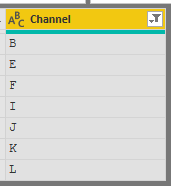
I need output like -
| Channel |
| B |
| E |
| F |
| I |
| J |
| K |
| L |
If you want it in another table, you can create a new calculated table:
NewTable = FILTER(Table1, NOT Table1[Channel] IN { "A", "C", "D", "G", "H"})
or alternatively:
NewTable2 = EXCEPT(ALL(Table1[Channel]),{ "A", "C", "D", "G", "H"})
If you want it in a table visual you can ust use the visual level filters and deselect the letters you don't want shown.
I don't want to create a new table. this is not working.
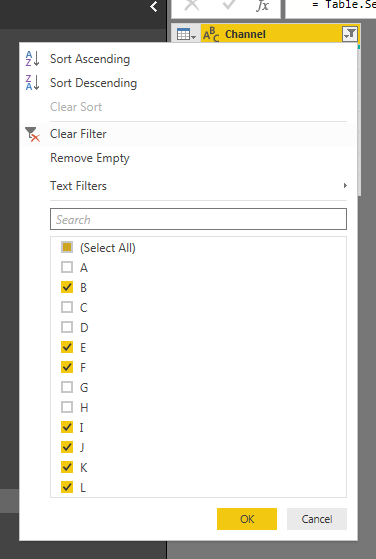
@adityavighne In that case, just filter the column in "Query Editor"
Proud to be a PBI Community Champion
The Power BI Data Visualization World Championships is back! Get ahead of the game and start preparing now!
| User | Count |
|---|---|
| 40 | |
| 35 | |
| 34 | |
| 31 | |
| 28 |
| User | Count |
|---|---|
| 137 | |
| 102 | |
| 71 | |
| 67 | |
| 65 |