Join us at FabCon Atlanta from March 16 - 20, 2026, for the ultimate Fabric, Power BI, AI and SQL community-led event. Save $200 with code FABCOMM.
Register now!The Power BI Data Visualization World Championships is back! Get ahead of the game and start preparing now! Learn more
Hello,
I have two tables, table A and Tablt B, join by truck number, it is a one to many relationship
A:
| Truck Number | # Checks | # Dispatch |
| 1001 | 1 | 2 |
B:
| Truck Number | Chekin Time | Dispach Time |
| 1001 | 1:30 | 9:00 |
| 1001 | 9:00 |
Idally, it will give the 2 in diaptach column in table A(even if the record in table B, it is the same tim), and give me 1 times for chckin in time, because there is null record in table B. curretly i am using the following formula, but it gives both for 2. does anyone know I can I make it not count this blank record, and still count 2 for even I have the same dispatch time.
DISPATCHS = IF(ISBLANK( COUNT(DISPATCH[DISPATCH_TIME])),0,COUNT(DISPATCH[DISPATCH_TIME]))
Thanks
Frank
Solved! Go to Solution.
Hi @NoobAnalyst01,
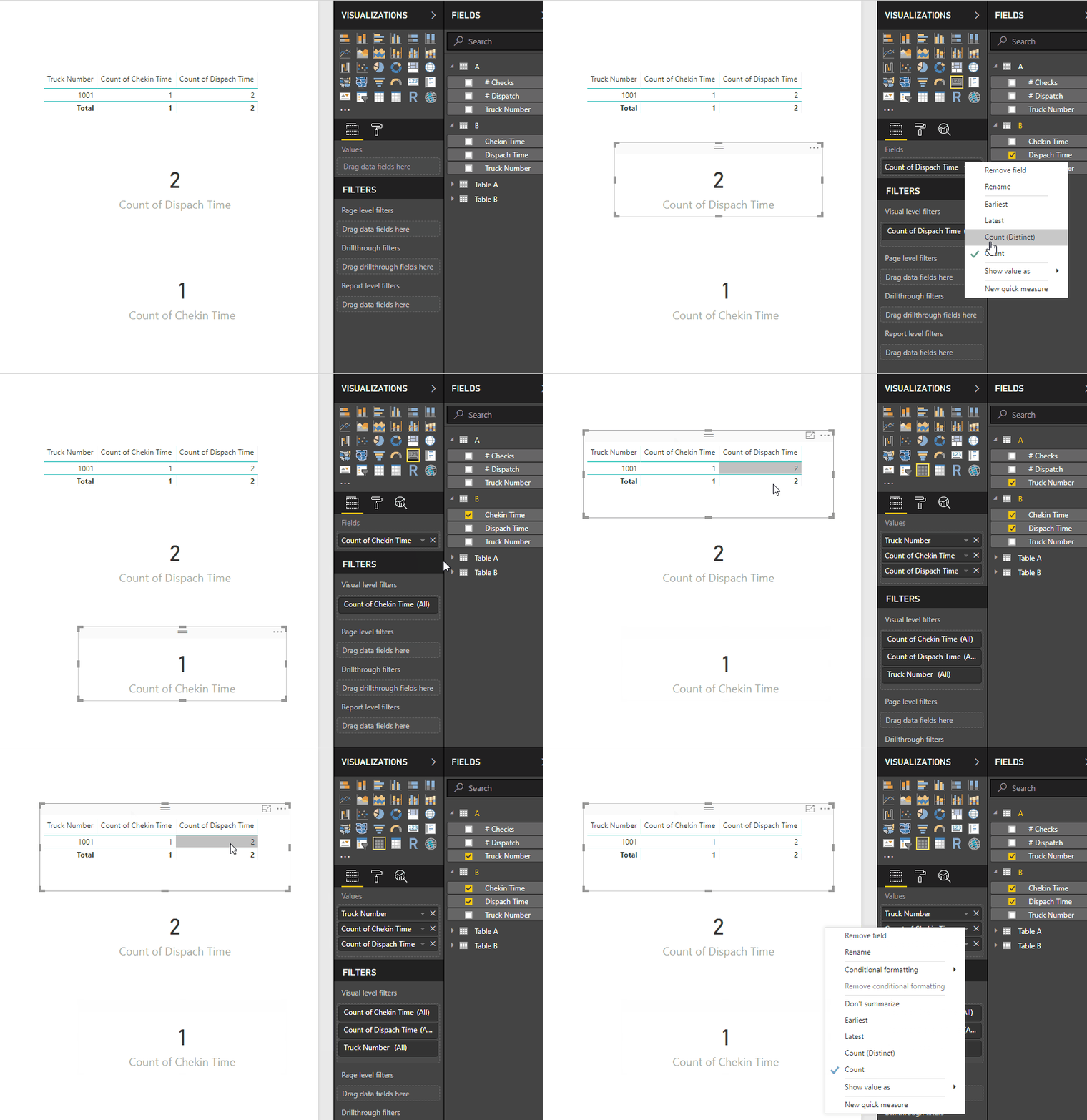
How are you setting up the visuals? I have made a mockup of your information and just by choosing count on the dispatch and check in it gives me 2 and 1.
Not really sure what you want to achieve, can you please ellaborate better and give a more extendend sample data and expected result.
Normally blanks or null aren't consider in the count and sum.
Regards,
MFelix
Regards
Miguel Félix
Proud to be a Super User!
Check out my blog: Power BI em PortuguêsHi @NoobAnalyst01,
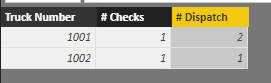
In TableA, please create below calculated columns:
# Checks =
CALCULATE (
COUNTROWS ( FILTER ( TableB, TableB[Chekin Time] <> BLANK () ) ),
USERELATIONSHIP ( TableA[Truck Number], TableB[Truck Number] )
)
# Dispatch =
CALCULATE (
COUNT ( TableB[Dispach Time] ),
ALLEXCEPT ( TableA, TableA[Truck Number] )
)
Best regards,
Yuliana Gu
Hi @NoobAnalyst01,
How are you setting up the visuals? I have made a mockup of your information and just by choosing count on the dispatch and check in it gives me 2 and 1.
Not really sure what you want to achieve, can you please ellaborate better and give a more extendend sample data and expected result.
Normally blanks or null aren't consider in the count and sum.
Regards,
MFelix
Regards
Miguel Félix
Proud to be a Super User!
Check out my blog: Power BI em PortuguêsThe Power BI Data Visualization World Championships is back! Get ahead of the game and start preparing now!
Check out the November 2025 Power BI update to learn about new features.
| User | Count |
|---|---|
| 65 | |
| 46 | |
| 43 | |
| 26 | |
| 19 |
| User | Count |
|---|---|
| 198 | |
| 126 | |
| 102 | |
| 68 | |
| 51 |