cancel
Showing results for 
Search instead for 
Did you mean: 

The Power BI Data Visualization World Championships is back! Get ahead of the game and start preparing now! Learn more

Reply
scherd
Frequent Visitor

How to change total column sum to average in matrix?

Hi,

I am trying to take average of row values rather than sum in matrix.

I have seen https://community.powerbi.com/t5/Desktop/Median-of-Row-Column-in-Matrix/m-p/58209#M23837 this

post which is totally what I intended to solve, but it changes row values as well.

I want to keep row values, and only change the total column sum to average in row based.

If anyone has an idea, I would be grateful.

1 ACCEPTED SOLUTION
Anonymous
Not applicable

Hi scherd,


Based on my understanding, you want to get the average total of your records and keep row values, right?


You can add a unique column to keep the values.(based on Michael_Shao’s point).

Below is the Sample:


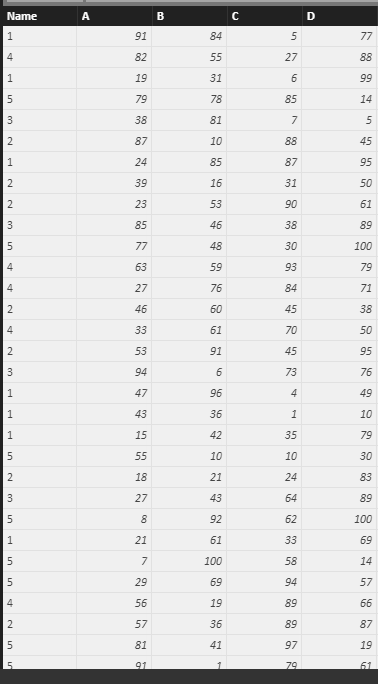
1. Create a table.

 Capture.PNG


2. Create the matrix visual.

 Capture2.PNG

Capture3.PNG

As you said, the value has changed.


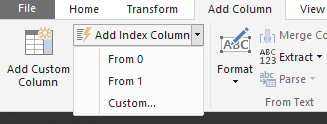
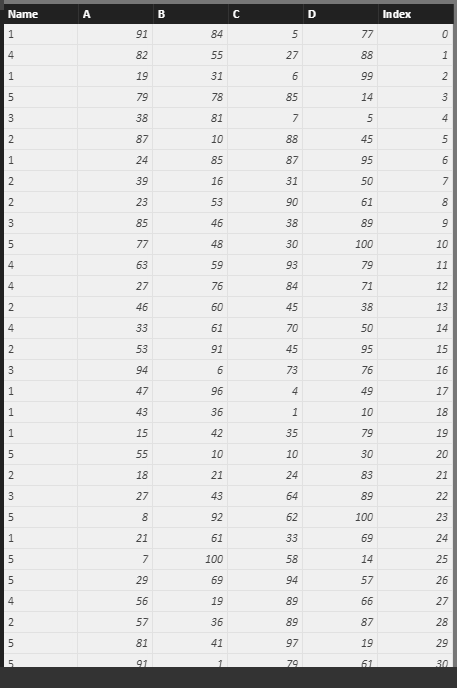
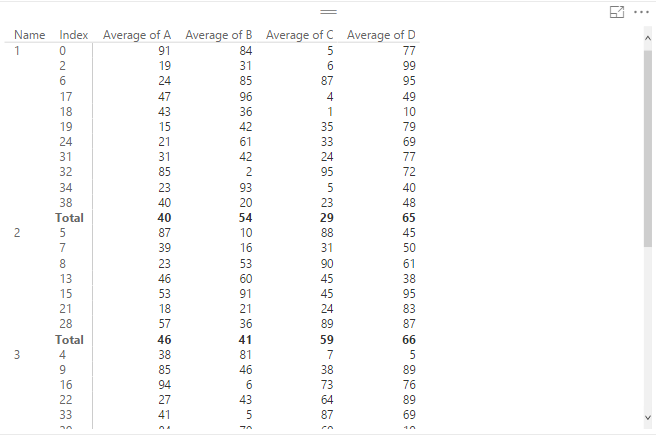
3. Add a unique column to fix the issue.(e.g. add an index column in Query Editor)

 1.png


 Capture4.PNG


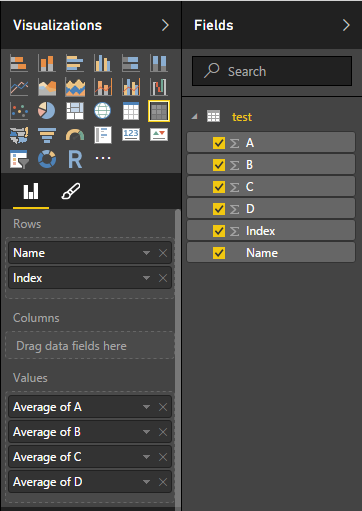
4. Add this column to matrix.

Capture5.PNG 


Capture6.PNG

The issue has been fixed.


Regards,

Xiaoxin Sheng

View solution in original post

3 REPLIES 3
Kashuo
Helper I
Helper I

Hey I figured out another way to do this. You can create a new measure and use DAX to create an AVERAGE of any column in your table. Then create a new matrix and include those average measures. Turn totals off in the general settings of your original table and position your new 1-row table directly below your other table. Include a text object to the left to label is at averages.

Hi @Kashuo 


May I know how did you create a DAX measure to calculate AVERAGE of any column, Please? 

Anonymous
Not applicable

Hi scherd,


Based on my understanding, you want to get the average total of your records and keep row values, right?


You can add a unique column to keep the values.(based on Michael_Shao’s point).

Below is the Sample:


1. Create a table.

 Capture.PNG


2. Create the matrix visual.

 Capture2.PNG

Capture3.PNG

As you said, the value has changed.


3. Add a unique column to fix the issue.(e.g. add an index column in Query Editor)

 1.png


 Capture4.PNG


4. Add this column to matrix.

Capture5.PNG 


Capture6.PNG

The issue has been fixed.


Regards,

Xiaoxin Sheng

Helpful resources

Announcements
Power BI DataViz World Championships

Power BI Dataviz World Championships

The Power BI Data Visualization World Championships is back! Get ahead of the game and start preparing now!

November Power BI Update Carousel

Power BI Monthly Update - November 2025

Check out the November 2025 Power BI update to learn about new features.

FabCon Atlanta 2026 carousel

FabCon Atlanta 2026

Join us at FabCon Atlanta, March 16-20, for the ultimate Fabric, Power BI, AI and SQL community-led event. Save $200 with code FABCOMM.