Join us at FabCon Atlanta from March 16 - 20, 2026, for the ultimate Fabric, Power BI, AI and SQL community-led event. Save $200 with code FABCOMM.
Register now!The Power BI Data Visualization World Championships is back! Get ahead of the game and start preparing now! Learn more
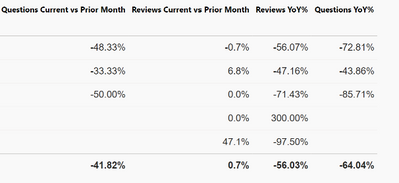
I have a few measure columns being visualized in a table:
How do I color multiple columns, not conditionally but just color coding them for easy visual association?
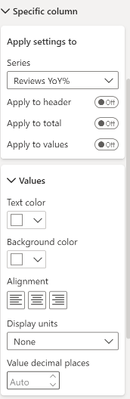
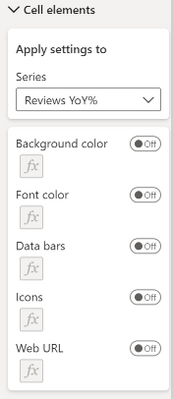
I see there's a visualization "cell element", as well as the "specific column", but both only applies to one column:
Solved! Go to Solution.
Hi @guh950, you can specify which measure to apply formatting on individually, or apply to all fields. You would have to go 1 by 1 to color them separately.
The Power BI Data Visualization World Championships is back! Get ahead of the game and start preparing now!
| User | Count |
|---|---|
| 61 | |
| 46 | |
| 40 | |
| 38 | |
| 22 |
| User | Count |
|---|---|
| 176 | |
| 131 | |
| 118 | |
| 82 | |
| 54 |