
Get certified for free when you join Fabric Data Days 2026 and dive into Fabric, Power BI, SQL, AI, and other essential data skills.
Join nowData Days is here! Join us now for 60+ days of learning, challenges, and connection. Learn more
Hi All,
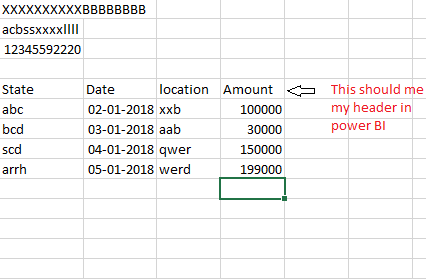
I need help in a case where i have to make nth row as header.
this want i want to do in power bi desktop
Regards,
Satish
Solved! Go to Solution.
Hi @Satish_Kumar,
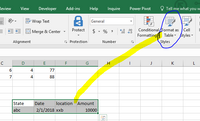
Please select the value->click "Format as table"(highlighted in bule line), and give the table a name(please review the highlighted red line in second screenshot).picture1
picture2
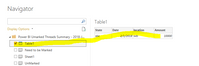
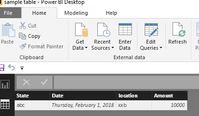
Then when you get date from the excel, the table will be listed there, you just select the table and use the first row as Headers. You will get expected result as follows.
Best Regards,
Angelia
Hi @Satish_Kumar,
Please select the value->click "Format as table"(highlighted in bule line), and give the table a name(please review the highlighted red line in second screenshot).picture1
picture2
Then when you get date from the excel, the table will be listed there, you just select the table and use the first row as Headers. You will get expected result as follows.
Best Regards,
Angelia
so I need to do that in Excel already, understood.
is there any other way to do it in PBI without deleting the rows above the row that shall be my Headerrow?
Not an elegant solution but you can repeat the "Use First Row as Headers" until the desired row is promoted
Typically, you would do a Remove Rows and remove the top rows (4) and then promote your header row.
Excellent solution.
First remove the 1st Row and then Promote the row as headers.
Thankyou Greg
Don't miss out on Data Days, June 15 through August 7. Learn Fabric, Power BI, SQL, AI and more.
Check out the May 2026 Power BI update to learn about new features.
| User | Count |
|---|---|
| 23 | |
| 23 | |
| 20 | |
| 18 | |
| 14 |
| User | Count |
|---|---|
| 58 | |
| 51 | |
| 41 | |
| 30 | |
| 24 |