cancel
Showing results for 
Search instead for 
Did you mean: 

Get Fabric Certified for FREE during AI Skills Fest. This week only. Secure your voucher now.

Reply
Valesco
New Member

How do I visualize this table?

Hello everyone!


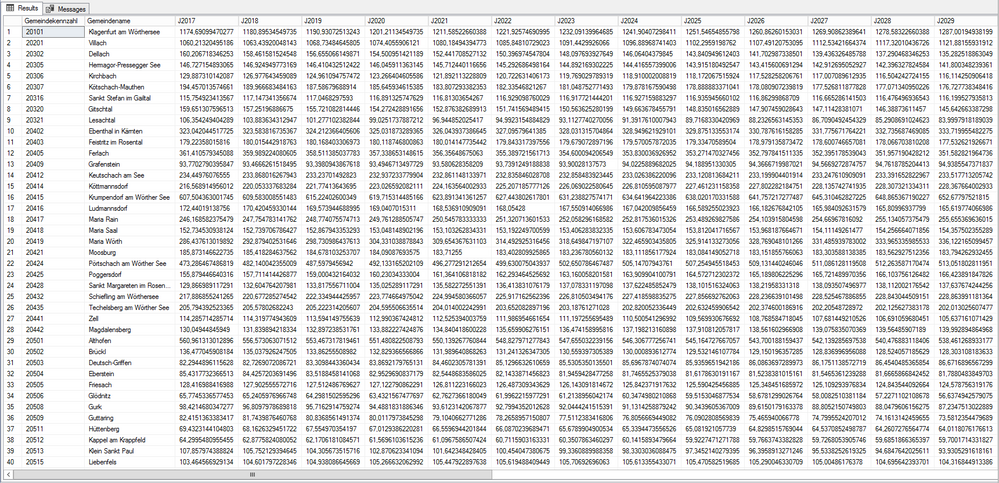
I'm fairly new to Power BI and struggling to visualize data. This following screenshot contains a table with demographic data for municipalities per year (see columns -> J2017, J2018,...,J2050). First and second column contain municipality code and municipality name, respectively.Bevölkerungsdichte_Dauersiedlungsraum.PNG

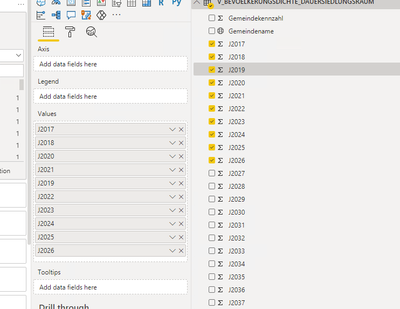
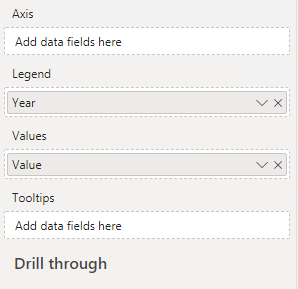
I'd like to set up a visual chart to have a filter (slicer) for municipality and one where I can filter years. The problem is: The filter is for filtering contents of a column, so if I had a column "years" that would be no issue, but since I have every year as a seperate column...  I imagine it would be a LOT of work to transform this table to achieve what I want...


What I DON'T want:

Valesco_0-1605466427074.png

What I WANT:

Valesco_2-1605466783392.png


I really hope this makes sense... I would really appreciate if anyone could help me, thanks in advance!

1 ACCEPTED SOLUTION
daxer-almighty
Solution Sage
Solution Sage

The data structure is obviously incorrect for what you're trying to do. Use Power Query to unpivot the data so that all years are in one column (this is a one-click operation). Then and only then will you be able to easily do what you want. Do not work against Power BI's philosophy unless you want to suffer a lot. Work in harmony with its principles and you'll reap the fruit in no time (and things will be easy and fast). Please read this to always model data correctly.

View solution in original post

2 REPLIES 2
daxer-almighty
Solution Sage
Solution Sage

The data structure is obviously incorrect for what you're trying to do. Use Power Query to unpivot the data so that all years are in one column (this is a one-click operation). Then and only then will you be able to easily do what you want. Do not work against Power BI's philosophy unless you want to suffer a lot. Work in harmony with its principles and you'll reap the fruit in no time (and things will be easy and fast). Please read this to always model data correctly.

Thank you for the quick help. I really need to look into that. Much appreciated!

Helpful resources

Announcements
May Power BI Update Carousel

Power BI Monthly Update - May 2026

Check out the May 2026 Power BI update to learn about new features.

Fabric SQL PBI Data Days

Data Days 2026 coming soon!

Sign up to receive a private message when registration opens and key events begin.

New to Fabric survey Carousel

New to Fabric Survey

If you have recently started exploring Fabric, we'd love to hear how it's going. Your feedback can help with product improvements.

Power BI DataViz World Championships carousel

Power BI DataViz World Championships - June 2026

A new Power BI DataViz World Championship is coming this June! Don't miss out on submitting your entry.