Join us at FabCon Atlanta from March 16 - 20, 2026, for the ultimate Fabric, Power BI, AI and SQL community-led event. Save $200 with code FABCOMM.
Register now!The Power BI Data Visualization World Championships is back! Get ahead of the game and start preparing now! Learn more
I am trying to preserve historical reports so that I can look back at last month's reports without them refreshing. I don't know how to lock down the tables so they can't be refreshed.
Is there an easy way to remove the data source without losing all the current data?
Thanks
Hey @Phar
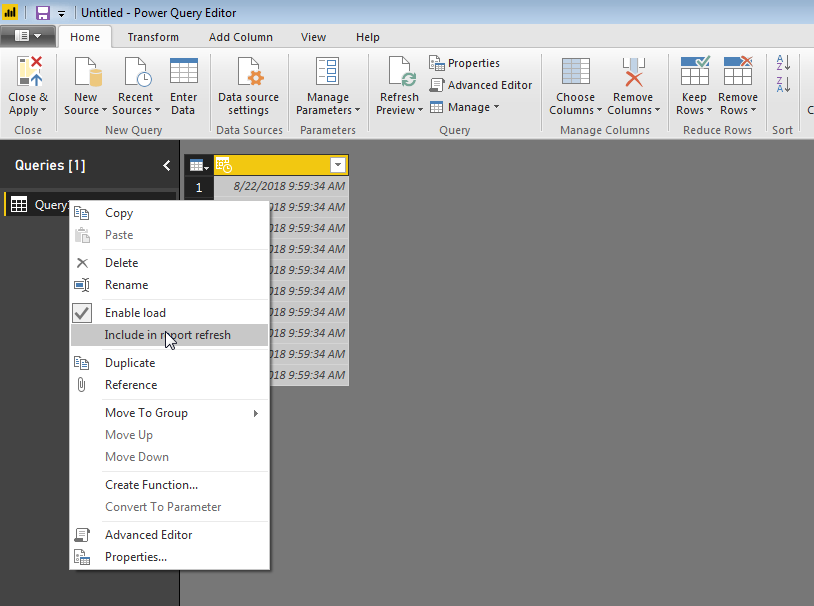
In the query editor, you can right click on the table on the left side and unselect "Include in report refresh." Make sure the checkbox is not showing.
Hope this helps,
Parker
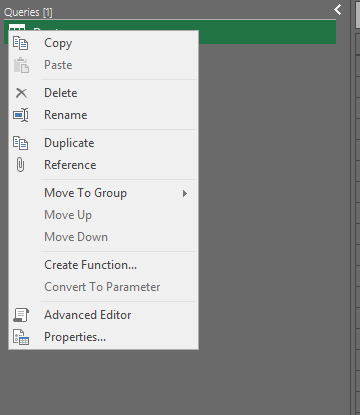
Thanks Parker, but I can't find the option to unselect "Include in report refresh."
This is my drop down selection.
@Anonymous
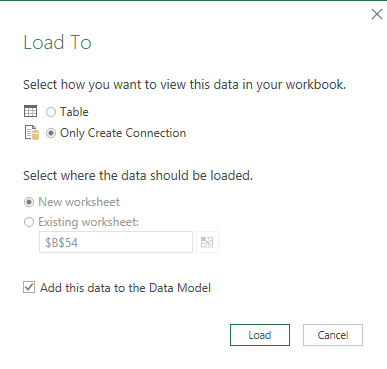
I'm not sure I understand. I download and overwrite reports (excel tables) from a web interface nightly. So, I'm guessing I
import.
Yes, I am a newbie.
Thanks.
@Phar,
The "Include in report refresh" comes from Power BI Desktop. However, you are using Power Query in Excel and create PowerPivot table, please post the question in Power Query forum or PowerPivot forum.
Power Query: https://social.technet.microsoft.com/Forums/en-US/home?forum=powerquery
PowerPivot: https://social.technet.microsoft.com/Forums/en-US/home?forum=sqlkjpowerpivotforexcel
Instead, you can use Power BI Desktop to create reports.
Regards,
Lydia
The Power BI Data Visualization World Championships is back! Get ahead of the game and start preparing now!
| User | Count |
|---|---|
| 61 | |
| 54 | |
| 41 | |
| 41 | |
| 22 |
| User | Count |
|---|---|
| 171 | |
| 136 | |
| 119 | |
| 80 | |
| 54 |