Join us at FabCon Atlanta from March 16 - 20, 2026, for the ultimate Fabric, Power BI, AI and SQL community-led event. Save $200 with code FABCOMM.
Register now!The Power BI Data Visualization World Championships is back! Get ahead of the game and start preparing now! Learn more
Hi guys,
I've got some buttons to switch between some bookmarks and I wish to make highlighted last clicked button.
I tried to place shapes behind button and make them visible according to bookmark switch,but it won't worked.
Is there any workaround to highlighting the last clicked button?
If Yes,please tell me how to do it.
Thanks
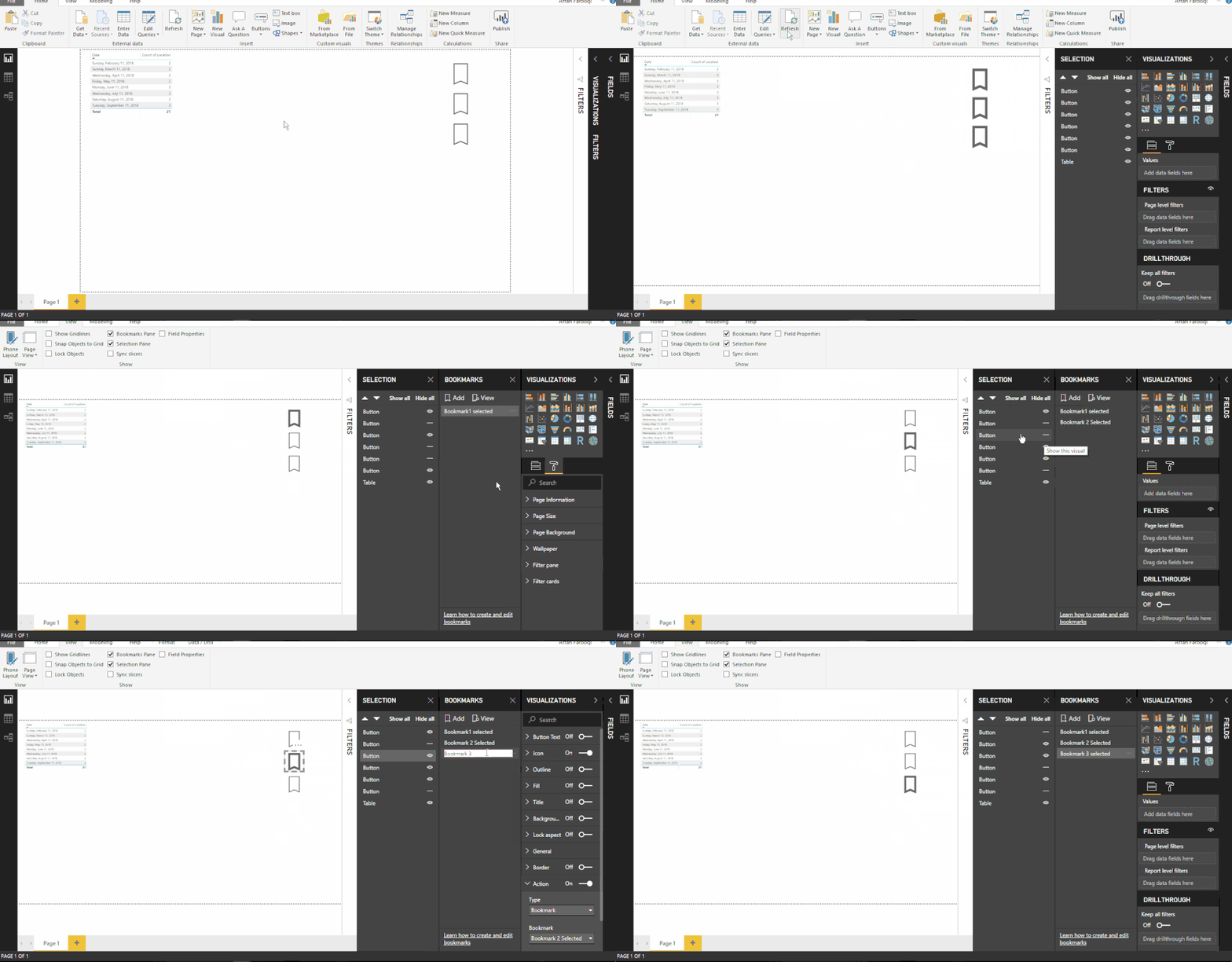
You can acheive the solution following the workarround shown in the illustration below.
If this helped you, please mark this post as an accepted solution and like to give KUDOS .
Regards,
Affan
hi, @Parimal_Patil
After my research , I'm afraid it couldn't achieve in Power BI for now.
and for your using on bookmark buttons, you may try this special method:
Step1:
ctrl+click button then format this button like: format-> icon-> line color
Step2:
Set the other buttons the same way
here is my test file, you could try it.
https://www.dropbox.com/s/xf390wb3pdb3dor/Highlight%20clicked%20button.pbix?dl=0
Best Regards,
Lin
The Power BI Data Visualization World Championships is back! Get ahead of the game and start preparing now!
| User | Count |
|---|---|
| 40 | |
| 35 | |
| 34 | |
| 31 | |
| 28 |
| User | Count |
|---|---|
| 137 | |
| 102 | |
| 71 | |
| 67 | |
| 65 |