Get certified for free when you join Fabric Data Days 2026 and dive into Fabric, Power BI, SQL, AI, and other essential data skills.
Join nowJuly 7 - July 17 | Round 2 of the Power BI Dataviz World Championships. Don't miss your chance! Learn more
Hi,
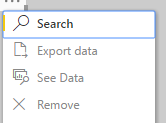
Please I need to hide a table in my visual. I've tried varied options but no success. I used 'Edit Queries' -'Enable Load' and I get the attached.
If i click continue and apply and I lose or My Data alters...If i click on the visual and click remove..it alters the data also.
This table is very essential to the report and visuals but need not be on the display visual
Please Is there another option??
Hi @Paddy,
What do you mean about hiding table on display visual?
Do you mean hiding the table from the Fields list? If that is the case, you can right click on the table and click Hide. ![]()
Regards
I mean hiding on the display board. The fields are necessary to populate the visuals as all i need is to toggle or select thembut not for them to be displayed.
I have tried that hide option and and the field only hides in that panel as you have shown.. I want it to hide in the visual board
Join us in Barcelona for FabCon and SQLCon, the Fabric, Power BI, SQL, and AI community event. Save €200 with code FABCMTY200.
Join Data Days 2026: 60 days of free live/on-demand sessions, challenges, study groups, and certification opportunities.
| User | Count |
|---|---|
| 29 | |
| 27 | |
| 24 | |
| 24 | |
| 18 |
| User | Count |
|---|---|
| 54 | |
| 50 | |
| 41 | |
| 33 | |
| 23 |