cancel
Showing results for 
Search instead for 
Did you mean: 

Learn from the best! Meet the four finalists headed to the FINALS of the Power BI Dataviz World Championships! Register now

Reply
maxfefer
Regular Visitor

Help with rolling average

Hello,


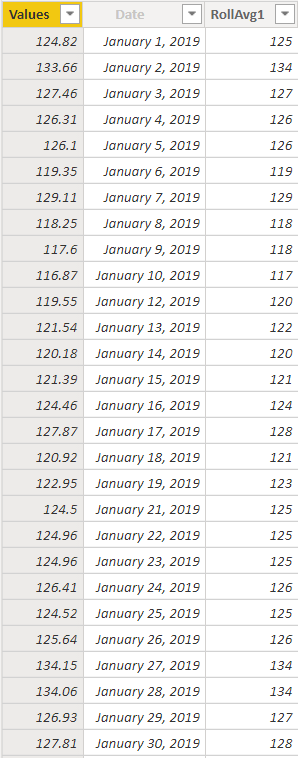
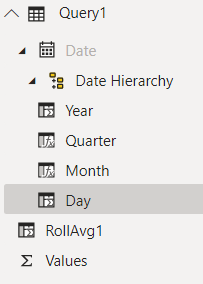
I am having issues calculating a moving average. I think there may be something wrong with my Date column? When I try to calculate a 7 day rolling average in a new column "RollAvg1" with the DAX code from the Quick Measure, the result is only averaging one row (one day), not the full 7 day window I want. I've tried removing the .[Date] suffix and it still did not work. It looks like the Time Intelligence is working within PowerBI because the automatic date table is generating, but the Date is greyed out.


Can you help?

Thanks!


RollAvg1 = 
VAR __LAST_DATE =
    LASTDATE ( Query1[Date].[Date] )
RETURN
    AVERAGEX (
        DATESBETWEEN (
            Query1[Date].[Date],
            DATEADD ( __LAST_DATE, -6, DAY ),
            __LAST_DATE
        ),
        CALCULATE ( SUM ( Query1[Values] ) )
    )


Capture.PNGCapture1.PNG


4 REPLIES 4
amitchandak
Super User
Super User

@maxfefer , I typically used this kind of formula with date calendar


Rolling 7 day = CALCULATE(sum(Sales[Sales Amount]),DATESINPERIOD('Date'[Date],MAX(Sales[Sales Date]),-7,Day))


Share with Power BI Enthusiasts: Full Power BI Video (20 Hours) YouTube
Microsoft Fabric Series 60+ Videos YouTube
Microsoft Fabric Hindi End to End YouTube

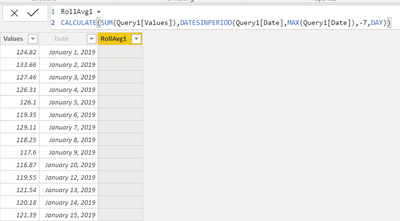
Thank you, @amitchandak. The equation you provided blank results in my column. I also tried including the .[Date] suffix and it still resulted in blank results.

Capture2.PNG

Anonymous
Not applicable

Hi @maxfefer


Try below calculated column:


RollAvg1 = 
    AVERAGEX (Filter('Query1',Query1[Date]<=earlier(Query1[Date])&&Query1[Date]>=earlier(Query1[Date])-6),
       
        CALCULATE ( SUM ( Query1[Values] ) )
    )


Best Regards,
Kelly
Did I answer your question? Mark my post as a solution!

Thanks Kelly. This also didn't work since there is a circular logic error, probably from referencing Query1[Date] twice in the boolean. Is there a way to elevate this to Microsoft staff?

Helpful resources

Announcements
Join our Fabric User Panel

Join our Fabric User Panel

Share feedback directly with Fabric product managers, participate in targeted research studies and influence the Fabric roadmap.

February Power BI Update Carousel

Power BI Monthly Update - February 2026

Check out the February 2026 Power BI update to learn about new features.

FabCon Atlanta 2026 carousel

FabCon Atlanta 2026

Join us at FabCon Atlanta, March 16-20, for the ultimate Fabric, Power BI, AI and SQL community-led event. Save $200 with code FABCOMM.