cancel
Showing results for 
Search instead for 
Did you mean: 

Next up in the FabCon + SQLCon recap series: The roadmap for Microsoft SQL and Maximizing Developer experiences in Fabric. All sessions are available on-demand after the live show. Register now

Reply
AbbasAsaria90
Helper I
Helper I

Help with complicated CALCULATE function

Background to data structure:

Our users do an action which is called ‘publishing a work.’ In our database, this is reflected in a table where work_id is the primary key, and there are other columns called e.g., user_id, time_published

The table we have aggregated in our Data Warehouse (which is what is imported into Power BI) has columns (user_id, user_email, day, delivered). So if a user publishes n works on a 2017-12-19, there will be a row with [id, email, 2017-12-19, n] – but if a they did not publish anything on 2017-12-18, there is no row for that.


Problem

From this it’s easy to count how many users published a work in a time period, but I’m stuck to try and see how many users did not publish in a series of two week periods.


I have a table called All emails, with all user emails, and I made a calculated table for my relevant time periods called Thursdays

I tried something like the above to count emails where if you count how many works that email published in a time period, the result is blank – though that isn’t working for me.
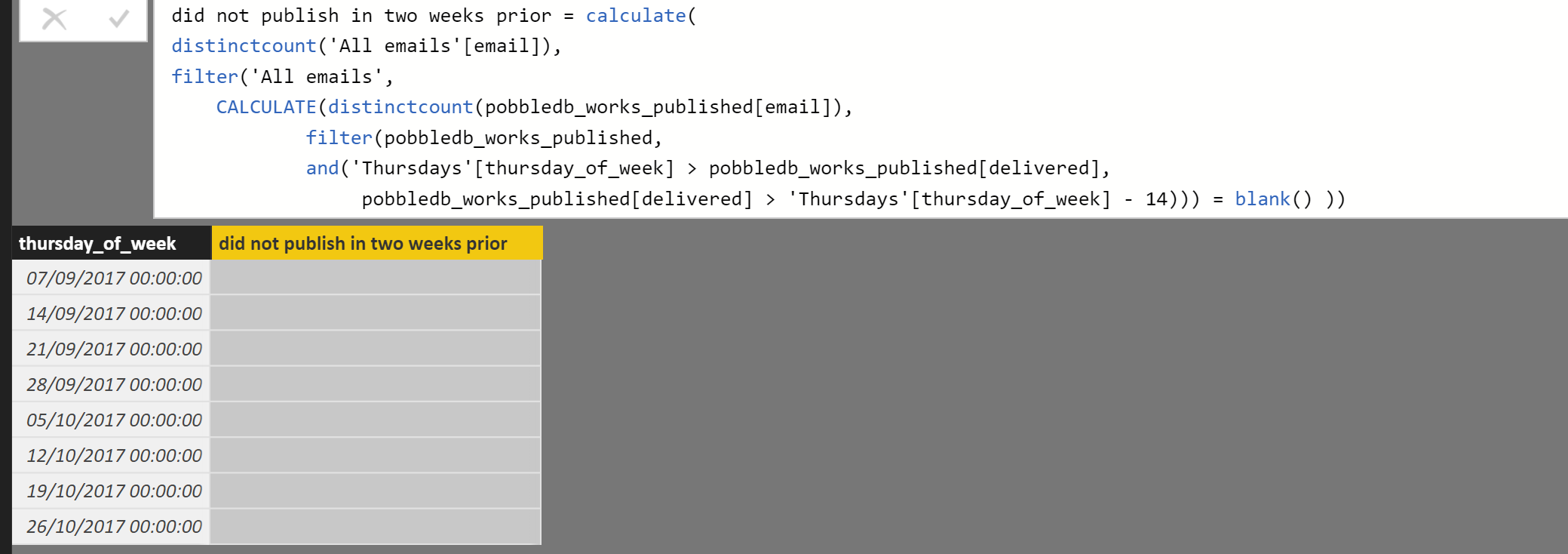


did not publish in two weeks prior = calculate(
distinctcount('All emails'[email]),
filter('All emails',
    CALCULATE(distinctcount(pobbledb_works_published[email]),
            filter(pobbledb_works_published,
            and('Thursdays'[thursday_of_week] > pobbledb_works_published[delivered],
                 pobbledb_works_published[delivered] > 'Thursdays'[thursday_of_week] - 14))) = blank() ))


Would any of you have any idea how to

  • Write some DAX to calculate what I’m after with my current data structure? [e.g., some nested calculate function like the one I tried]
  • Or Restructure my data to make what I’m after easier?

Thanks very much!

1 ACCEPTED SOLUTION
v-chuncz-msft
Community Support
Community Support

@AbbasAsaria90,


You just need to add the following boolean expression to FILTER Function.


&& pobbledb_works_published[email] = 'All emails'[email]


Community Support Team _ Sam Zha
If this post helps, then please consider Accept it as the solution to help the other members find it more quickly.

View solution in original post

2 REPLIES 2
v-chuncz-msft
Community Support
Community Support

@AbbasAsaria90,


You just need to add the following boolean expression to FILTER Function.


&& pobbledb_works_published[email] = 'All emails'[email]


Community Support Team _ Sam Zha
If this post helps, then please consider Accept it as the solution to help the other members find it more quickly.

Sorry for the late reply - but yes that's perfect thanks!


Abbas

Helpful resources

Announcements
New to Fabric survey Carousel

New to Fabric Survey

If you have recently started exploring Fabric, we'd love to hear how it's going. Your feedback can help with product improvements.

Power BI DataViz World Championships carousel

Power BI DataViz World Championships - June 2026

A new Power BI DataViz World Championship is coming this June! Don't miss out on submitting your entry.

FabCon and SQLCon Highlights Carousel

FabCon &SQLCon Highlights

Experience the highlights from FabCon & SQLCon, available live and on-demand starting April 14th.

March Power BI Update Carousel

Power BI Community Update - March 2026

Check out the March 2026 Power BI update to learn about new features.